32steps für Android

32steps

nulldio

Version 2.2.8

Custom volume steps and headphone sound profiles for Android

Downloads 8 K
Ads

Bewerte das

Antivirus & Sicherheitsprüfung Ergebnisse

Scan-Datum: May 16, 2026 Softwareversion: 2.2.8
Status: ✅ Vertrauenswürdig & Sicher zu installieren Diese App ist von nulldio mit einer vertrauenswürdigen und verifizierten digitalen Signatur signiert und wird vorhandene 32steps Installationen aktualisieren Zertifikat Fingerprint: d1826eddd59be1ba64719e6496f31b8d7c6f43ab Aussteller: C=US, ST=Unknown, L=Unknown, O=Unknown, OU=Unknown, CN=nulldio Wie wir APK-Dateien auf Sicherheit überprüfen
Android Antivirus Status
K7GW Sauber ✅
DrWeb Sauber ✅
VirIT Sauber ✅
ClamAV Sauber ✅
Google Sauber ✅
Ikarus Sauber ✅
Lionic Sauber ✅
Sophos Sauber ✅
Yandex Sauber ✅
Alibaba Sauber ✅
Tencent Sauber ✅
Xcitium Sauber ✅
Fortinet Sauber ✅
Kingsoft Sauber ✅
Symantec Sauber ✅
AhnLab-V3 Sauber ✅
Kaspersky Sauber ✅
Microsoft Sauber ✅
Trustlook Sauber ✅
ESET-NOD32 Sauber ✅
Avast-Mobile Sauber ✅
NANO-Antivirus Sauber ✅
BitDefenderFalx Sauber ✅

32steps Audio und Klingeltöne App für Android Beschreibung

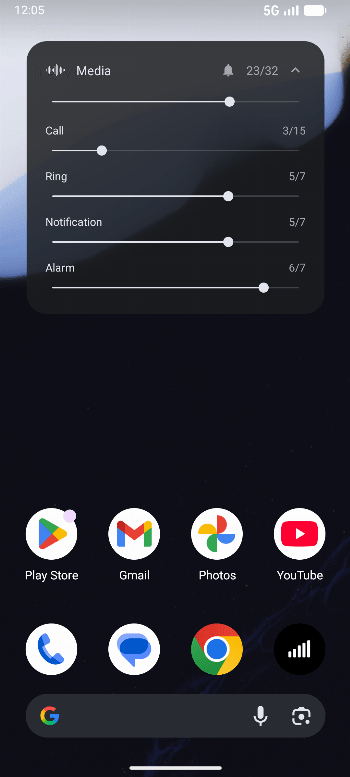
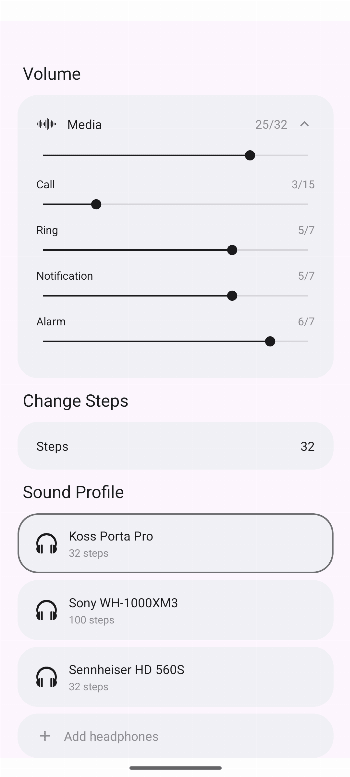
Override Android's default volume steps. Set your own custom step count from 1 to 1000. No root required.

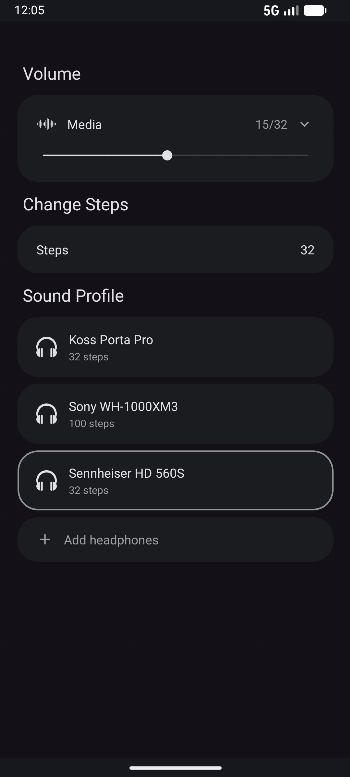
32steps splits each system volume gap into smaller sub-steps by applying a gain offset through DynamicsProcessing (or Equalizer on older devices). An accessibility service intercepts volume buttons and a foreground service keeps it running in the background. Works across all apps. No root, no internet.

Sound profiles: select your headphones from 6000+ models and the app applies an EQ correction based on measured frequency response data from AutoEQ. Save multiple presets with different headphones and step counts. The database is updated daily.

Features:

  • Custom volume step count (1-1000)
  • 6000+ headphone sound profiles
  • Save presets per headphone
  • Works with hardware volume buttons
  • System-wide audio control
  • Volume overlay with progress bar
  • Survives reboots
  • No root required
  • No internet permission
  • No ads, no tracking

Requires Android 8+.

Note: On Android 13+, you may need to allow restricted settings first. Go to Settings > Apps > 32steps, tap the three dots, then tap Allow restricted settings.

Ads


Spezifikationen


Ältere Versionen

32steps icon

2.2.7 APK

April 29, 2026

32steps icon

2.2.6 APK

April 28, 2026

32steps icon

2.2.5 APK

April 9, 2026