ADB⚡OTG for Android

ADB⚡OTG

Khun Htetz Naing

version 1.0.1

Run ADB commands without a computer (no ROOT needed)

Downloads 0
Ads

Rate & Review

Antivirus & safety scan results

Scan Date: Jan 17, 2024 Software Version: 1.0.1
Status: ✅ Trusted & Safe to install This app is signed by Khun Htetz Naing with trusted and verified digital signature and it will updated existing ADB⚡OTG installations Certificate fingerprint: cbdafe45c220caf7c7c2f556189a7be2cccb0835 Issuer: C:MM, CN:Mg Ngoe Lay, L:HsiHseng, O:Mg Ngoe Lay, ST:Shan, OU:MgNgoeLay How we verify APK files security
Android antivirus Status
MAX Clean ✅
K7GW Clean ✅
DrWeb Clean ✅
VirIT Clean ✅
ClamAV Clean ✅
Google Clean ✅
Ikarus Clean ✅
Lionic Clean ✅
Sophos Clean ✅
Yandex Clean ✅
Alibaba Clean ✅
Tencent Clean ✅
Xcitium Clean ✅
Fortinet Clean ✅
Kingsoft Clean ✅
Symantec Clean ✅
AhnLab-V3 Clean ✅
Kaspersky Clean ✅
Microsoft Clean ✅
Trustlook Clean ✅
ESET-NOD32 Clean ✅
Avast-Mobile Clean ✅
NANO-Antivirus Clean ✅
BitDefenderFalx Clean ✅

ADB⚡OTG App Cloning app for Android description

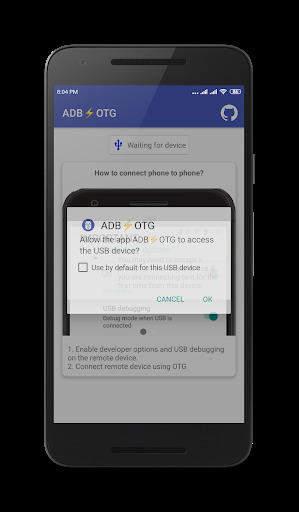
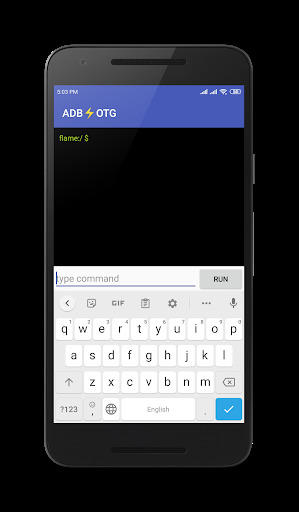
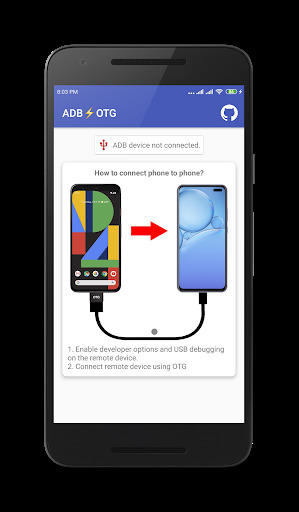
You can use ADB commands by connecting your Android smartphone to your smartphone.

You can use it simply by installing the app without rooting or additional process.

When developing, we usually install *.apk files using adb install. As Android system itself is based on Linux, can we use an Android phone to perform adb install for another phone?

OTG allows our android mobile phone to act as a PC-like host, which can be connected to other devices (such as keyboard, mouse, USB flash drive), of course, can also be connected to other Android mobile phones, most mobile phones support this technology.

That done, you cannot only use adb install to install apps on the other device, but run other ADB commands as well – as you would do from your computer.

Ads


Specifications


Old Versions

ADB⚡OTG icon

1.0 APK

January 26, 2021