Authenticator Pro 2-Step Verification app for Android description
A free open-source two factor authentication app for Android. It features encrypted backups, icons, categories and a high level of customisation. It also has a Wear OS companion app.
It supports TOTP (Time Based) and HOTP (Counter Based) authenticators using either SHA1, SHA256 or SHA512 hashing algorithms. Mobile-Otp (mOTP), Steam and Yandex are also supported.
2 Factor authentication provides an extra layer of security to your accounts by requiring the use of a one time code to log in. In addition to your username and password, you will need a code provided by Authenticator Pro. So even if your login details are compromised, your account remains safe.
Features
- ⚙️ Compatibility: Authenticator Pro is compatible with most providers and accounts.
- 📲 Import: Easily migrate your accounts to Authenticator Pro from supported alternative apps.
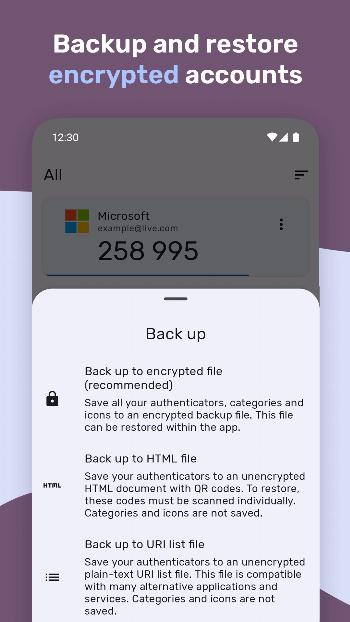
- 💾 Backup / Restore: Backup your authenticators with strong encryption. In case you lose or change your phone, you can always gain access to your accounts. You can save backups to cloud storage or to your device.
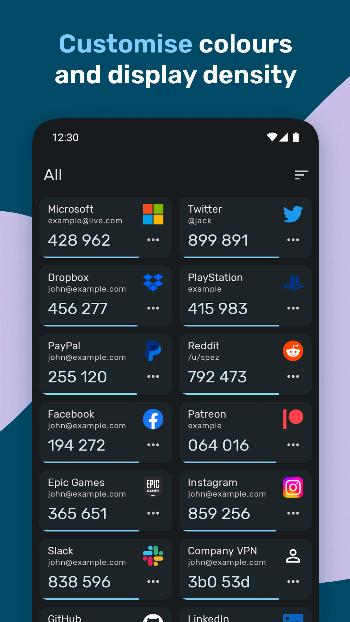
- 🌙 Dark Mode: Authenticator Pro has a beautiful material design inspired look in either light or dark themes.
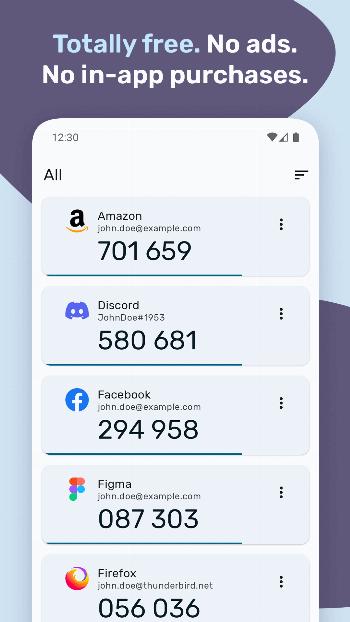
- ⏺️ Icons: Find your authenticators easily with recognisable brand logos and icons next to each code.
- 📂 Categories: Organise your authenticators into categories.
- 🔒 Offline with few permissions: Authenticator Pro only requires a single permission¹ and does not require Internet access to function.
- 🔑 Security: Set a password and use biometric authentification to protect your codes.
- 🎨 Customisation: Set icons and rename. You can also arrange your authenticators in any order you like so you can find them easily.
- ⌚ Wear OS: Quickly view your authenticators directly from your watch. Please note that a connection to your Android device is required. Furthermore, F-Droid distributions of the app are not compatible with Wear OS, since non-free dependencies are required.
(¹) To scan QR-Codes, the app requires the camera permission.
Disclaimer
This program is free software: you can redistribute it and/or modify it under the terms of the GNU General Public License as published by the Free Software Foundation, either version 3 of the License, or (at your option) any later version.
This program is distributed in the hope that it will be useful, but WITHOUT ANY WARRANTY; without even the implied warranty of MERCHANTABILITY or FITNESS FOR A PARTICULAR PURPOSE. See the GNU General Public License for more details.