HopToDesk for Android

HopToDesk

HopToDesk

version 1.43.1

Remote Desktop Software For Personal and Business use.

Downloads 0
Ads

Rate & Review

Antivirus & safety scan results

Scan Date: Apr 2, 2025 Software Version: 1.43.1
Status: ✅ Trusted & Safe to install This app is signed by HopToDesk with trusted and verified digital signature and it will updated existing HopToDesk installations Certificate fingerprint: 6d642eaf4e7d94d90db5389f7afda7d60e7930df Issuer: C=US, ST=Unknown, L=Unknown, O=HopToDesk, OU=Publishing, CN=HopToDesk How we verify APK files security
Android antivirus Status
K7GW Clean ✅
DrWeb Clean ✅
VirIT Clean ✅
ClamAV Clean ✅
Google Clean ✅
Ikarus Clean ✅
Lionic Clean ✅
Sophos Clean ✅
Yandex Clean ✅
Alibaba Clean ✅
Tencent Clean ✅
Xcitium Clean ✅
Fortinet Clean ✅
Kingsoft Clean ✅
Symantec Clean ✅
AhnLab-V3 Clean ✅
Kaspersky Clean ✅
Microsoft Clean ✅
Trustlook Clean ✅
ESET-NOD32 Clean ✅
Avast-Mobile Clean ✅
NANO-Antivirus Clean ✅
BitDefenderFalx Clean ✅

HopToDesk Remote desktop app for Android description

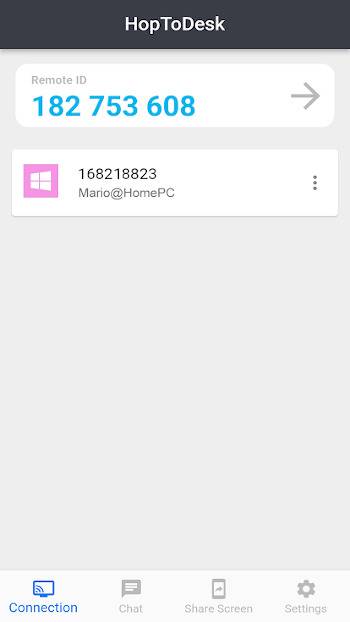
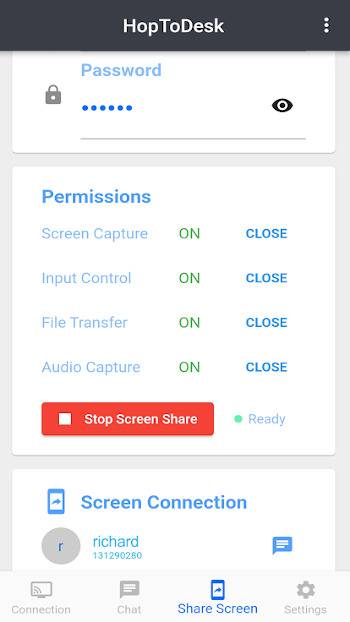
HopToDesk is a free Remote Desktop Software. Easily screen share, transfer files, and manage remote devices securely with end-to-end encryption.

In order for a remote device to control your Android device via mouse or touch, you need to allow HopToDesk to use the "Accessibility" service, HopToDesk uses AccessibilityService API to implement Android remote control.

A perfect tool for working from home, IT support, and managing remote devices for any purpose.

HopToDesk highlights include:

  • Screen Share
  • Remote Control
  • Live Chat
  • File Transfer
  • Wake-On-LAN
  • 2FA

Getting Started

  1. Install and open HopToDesk on both devices.
  2. Enter the ID of the remote device you wish to connect to.
  3. Allow the connection or enter the password to start the remote session.
Ads


Specifications


Old Versions

HopToDesk icon

1.42.3 APK

September 1, 2024

HopToDesk icon

1.41.8 APK

April 20, 2024

HopToDesk icon

1.40.8 APK

October 21, 2023