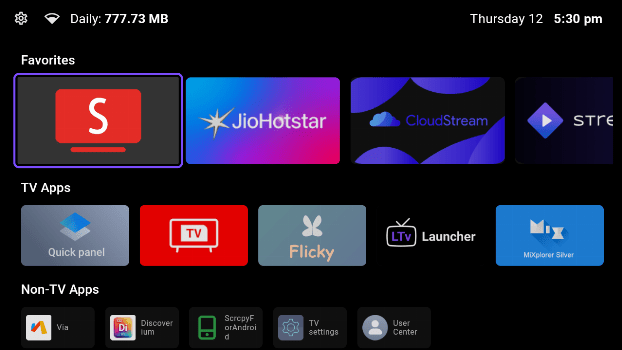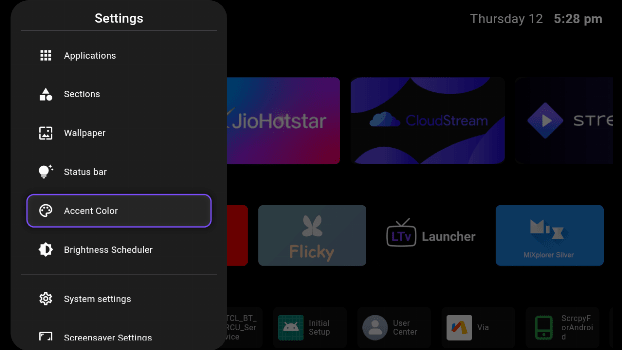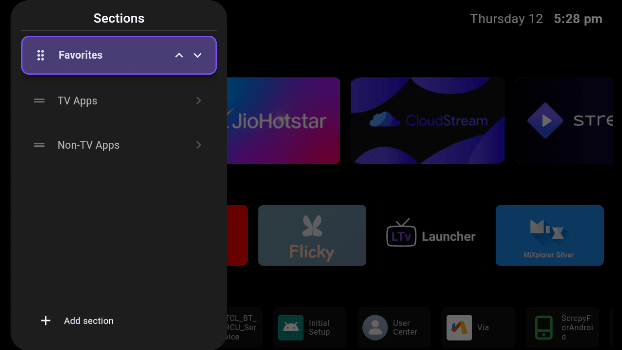
LTvLauncher Launchers app for Android description
LTvLauncher is a fork of FLauncher - an open-source alternative launcher for Android TV.
This customized version introduces usability enhancements and UX improvements.
Key Features & Enhancements:
- Data Usage Widget - Track daily Internet consumption directly from the status bar.
- Inbuilt OLED Screensaver - Minimal screensaver with 30s clock position shifting to prevent burn-in.
- Easy WiFi Access - Network indicator doubles as a shortcut to system WiFi settings.
- Quick Presets - Select Time/Date formats and Category names from a list (No keyboard required).
- Time-Based Wallpaper - Automatically switch between day and night backgrounds.
- Pitch Black Wallpaper - Added a true black gradient background option.
- Enhanced Focus Indicator - New double-border design ensures perfect visibility on any background.
- Smart Navigation - Fixed "bounce back" issues and optimized focus traversal for a smoother experience.
- Refined Settings - Reorganized menus with a new "Miscellaneous" section and unified focus styles.
- Accent Color Support - Personalize the UI with multiple color presets.
- Improved Sorting - Easily reorder categories using Left/Right arrow keys instead of finicky gestures.
- Left Side Settings - Reorganized settings panel now opens on the left for better reach.
- Brightness Scheduler (Experimental) - Automatically adjust system brightness based on time of day (Requires WRITE_SETTINGS permission via ADB).
- New Category - Added "Favorites".
- Optimizations - Improved performance with aggressive icon caching and code cleanups.
Original FLauncher Features:
- No ads
- Customizable categories
- Manually reorder apps within categories
- Wallpaper support
- Open "Android Settings"
- Open "App info"
- Uninstall app
- Clock
- Switch between row and grid for categories
- Support for non-TV (sideloaded) apps
- Navigation sound feedback