M17 HT VoIP app for Android description
M17 KISS HT is a fork of the Android Codec2 Walkie-Talkie, updated to support M17 streaming KISS protocol over Bluetooth & USB. This is an Amateur Radio DV (digital voice) communication protocol using the using open source vocoder, Codec2.
This Android application is a digital voice frontend for your radio. It connects to your M17 KISS Bluetooth/USB modem, sends and receives M17 link setup and audio frames, which are encapsulated inside KISS frames. It does not deal with radio management, modulation, etc. The modem and the radio handle the M17 data link layer and physical layer.
To use this app, you will need a modem or transceiver which supports M17 KISS protocol over Bluetooth or USB.
Features:
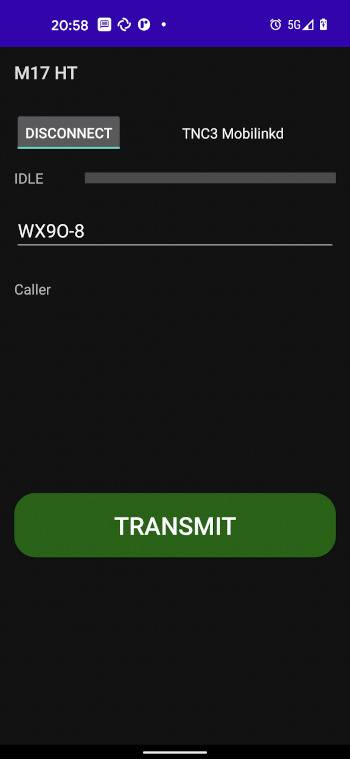
- PTT button, push and talk, an M17 digital voice stream will be initiated and maintained with the modem.
- USB serial connectivity (38400 bps, 8 data bits, 1 stop bit, no parity), just select this app after connecting to USB and it will use given connection.
- BluetoothLE connectivity use the Connect/Disconnect button to connect/disconnect BLE devices. It will attempt to connect to the last connected device. Otherwise it will scan for devices.
- Callsign Identification enter your callsign once connected in order to be able to transmit.
- Caller Identification received callsign is clearly displayed when an M17 DV call is received.
- User Preferences BLE device preference and user callsign will be saved for later.
For more details e.g. on suitable radios and modems, please visit the project site.