MqttDroid Automation app for Android description
MqttDroid is an Android app that aims to provide MQTT support to Android's built-in device controls (Android 11+).
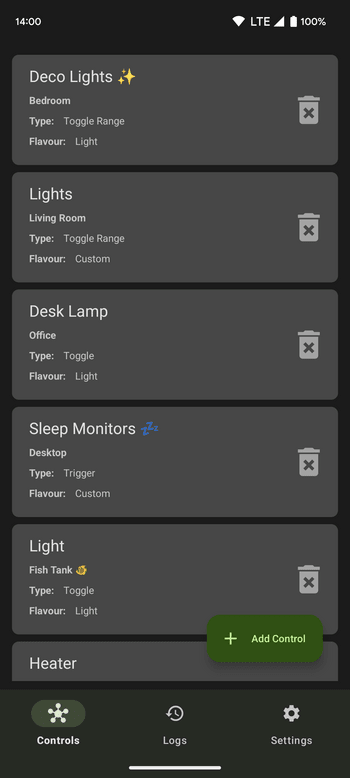
It provides a friendly interface to create and edit custom devices with user-defined MQTT actions that will be usable in the device controls hub. Unlike other home automation apps, MqttDroid will connect directly to the MQTT broker, no special setup is needed.
NOTE: This app is NOT a standalone MQTT dashboard. It relies on Android's device controls to actually send and display MQTT messages.
Features:
- Robust MQTT client based on HiveMQ
- Supports these control types: toggle, toggle with slider, range, trigger and gauge
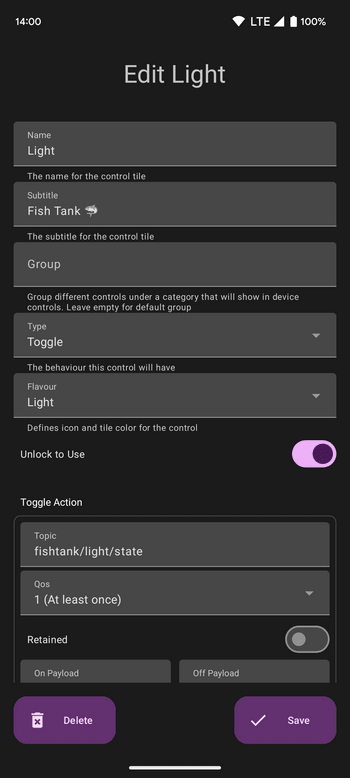
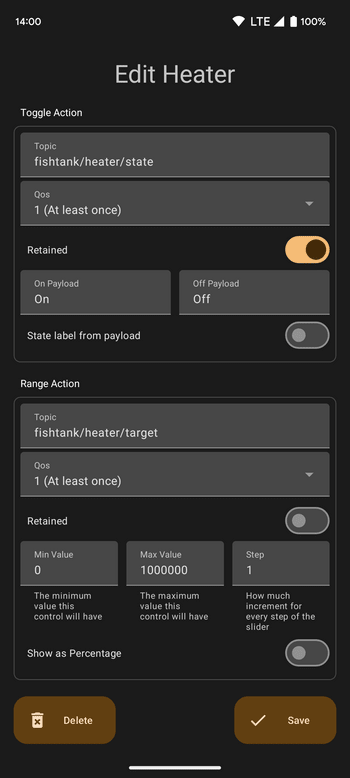
- One MQTT topic per control action, with separable pub / sub, QoS and retain support
- Customizable title, subtitle and group per control
- Customizable look and feel of each control tile (a range of stock Android flavors are offered. Alternatively, a custom icon and color can be chosen)
- Customizable toggle on / off payloads
- Customizable min, max, and step values for slider actions. Display as values or percentage
- Unlock to use can be set per control (only available on Android 13+)
- Live updates while on the device controls screen
- In-app log to check for recent MQTT activity
- A single broker with support for basic authentication
- Backup and restore all controls via a retained MQTT message on the broker
- Material You