Tactile Clock Clocks and Alarms app for Android description
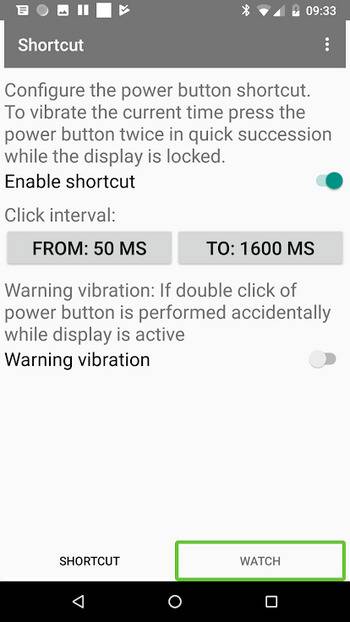
Tactile Clock vibrates the current time when the display is locked and the power button is pressed twice in a row with a delay between 50 and 1500 milliseconds. If the double click is performed accidentally while the display is still active, the app warns with a long, persistent vibration. The background process is started automatically after booting is finished.
Basically there exist two different vibration pattern: A short vibration stands for the digit 1 and a long one for the digit 5. So the 2 is represented by two consecutive short vibrations, the 6 by a long and a short one and so on. The 0 constitutes an exception with two long vibrations.
Examples:
- 01:16 =
.. s ... s .. l . s - 02:51 =
.. s . s ... l .. s - 10:11 =
s .. l . l ... s .. s
Explanation:
The time is processed digit by digit. s = short, l = long. A leading zero at the hour field is omitted. To simplify the recognition of the vibration pattern, there exist three kind of gabs with different durations, marked by the number of dots in the examples above. A single dot stands for the pause between two vibrations, two dots symbolize the separation of two digits within the hour and minute field and three dots split hours and minutes.