Jaliscope Lecteurs de Musique application pour Android description
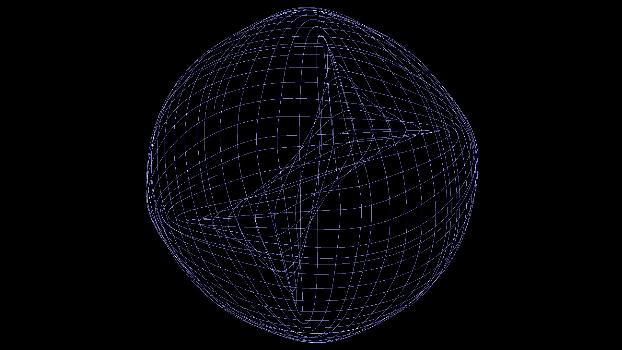
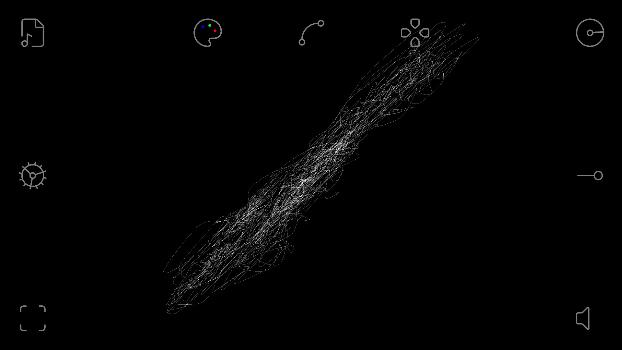
This is an audio visualizer program, it takes audio files and converts them to lines rendered on screen where you can modify them as you desire with the functions available inside the buttons! They're called a Vectorscope Program, or a Lissajous Plot program to be specific.
First thing you see when you boot up the program is a rendering of the sound being currently played, and they are being used to play a nice tune.
HOW was it made?
The program is built using C++, and by using the SDL3 library for the renderings, and the MINIAUDIO single-header library for the audio playback buffering.
CONTROLS
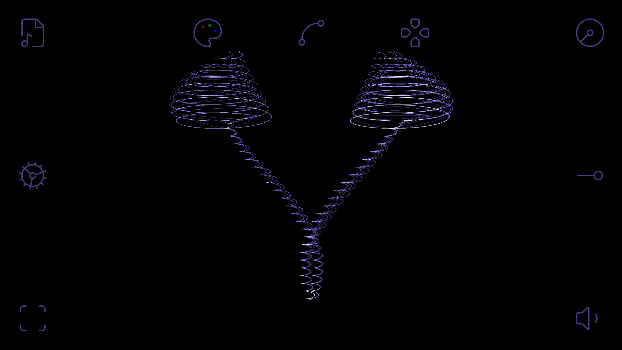
When you tap the screen, 9 buttons in abstract minimal style shows up, layered on the edges of the screen before you, each one of them has a functionality.
Make a double tap under 500 milliseconds, and the audio stops, the rendering with it.
Starting clockwise from the bottom left, we have:
- SCALE: scales up, or down, the rendering window of the lines, it doesn't scale up the rendering view, but rather scales up the allowed space the lines can render in!
- MISCELLANEOUS: houses many options and settings that affects the rendering and sound, like Rotating the rendered lines! or Adjusting the audio buffer's size! or saving your preferences and many more!
- FILE: Clicking it opens the platform's file selector for choosing the audio file you wish to render.
- THEME: shows 3 slider bars for changing the theme of the program as a whole, Red bar on the left, Green bar on the bottom, Blue bar on the right, making all colors zero won't make the GUI invisible, so don't worry :D
- SPLINES: One of the most fun parts of the program. It allows you to change the number of lines that are drawn onto screen! Making a soothing real-time drawing of the lines, or letting you draw over 8000 lines on screen in a second. it's your choice!
- X/Y PADDING: lets you move the rendering in any position without screen bounds!
- SPEED: resamples the sample rate of the audio, which changes the pitch and tempo of the audio down the thousandth (0.001)!
- SEEKER: instant seeking to any part of the audio down the milliseconds, with the audio time being on-top the seeking bar.
- VOLUME: As the name and button suggests, you change the in-program audio volume.
Some Quirks
Changing the frames chunk size can flush the audio buffer, which skips some chunk of the audio, with this, you can flush the buffers on the audio's halfbeat to make the audio play in a swing rhythm!
Rotating the rendering fast enough can give a stroboscopic effect for the rendering lines. In my opinion, this is very mesmerizing!
Add that with the splines changing at your whim, and you'd get a virtually infinite numbers of combos!
This project is licensed under the GNU General Public License v3.0