Iconify Temi e Sfondi applicazione per Android descrizione
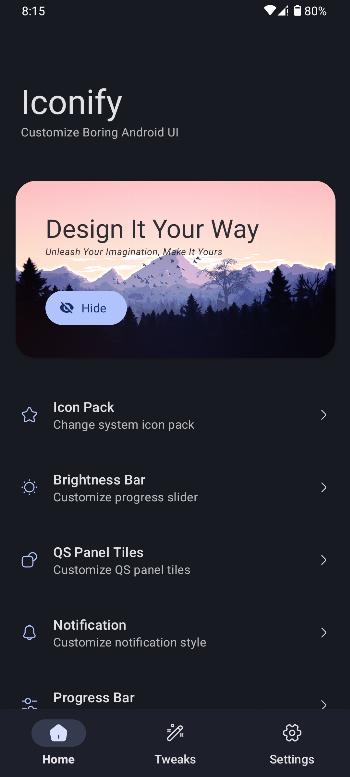
Iconify is an open-source android mobile application, aimed at providing users with the ability to customize various aspects of their device's user interface.
Iconify was mainly created as a substratum theme to change the system icons of any aosp rom. After some time, I converted it to use as magisk module with Terminal GUI integration. But then I got bored of using substratum and terminal gui. Applying overlays without any previews made me frustrated. So I decided to make it easier for me by creating an application where I can see the previews and change anything I want. This was totally for my personal use but as people showed interest, I decided to release it in public.
Features:
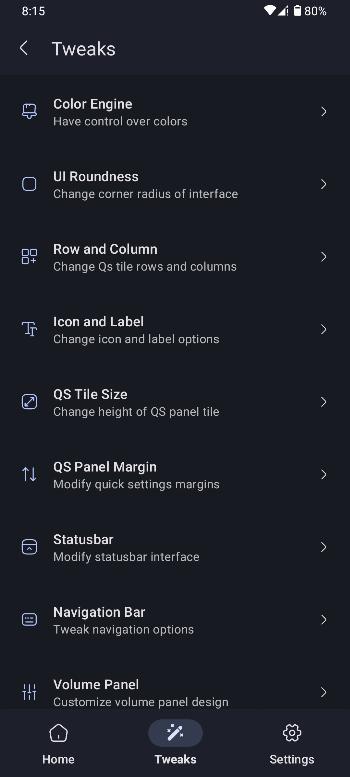
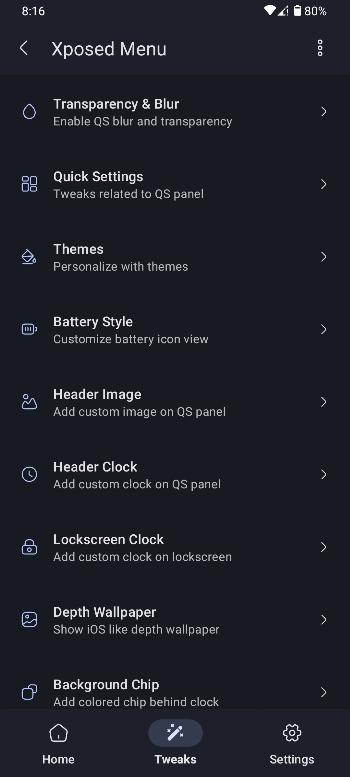
What can you change using Iconify?
- Solid or Gradient Colors
- System Icon Packs
- Brightness Bar Style
- QS Tile Shapes
- QS Panel Row & Column
- QS Panel Icon & Label
- Notification Style
- Media Player Style
- Volume Panel Style
- And many more...
Requirements:
- Android 12+ Pixel / AOSP Based Custom Rom
- Magisk (Recommended) or KernelSU
- LSPosed (Optional)
- Decryption Supported Custom Recovery (Just in case)
Instructions:
- Install and open the app
- Grant root permission
- Click on CONTINUE button
- Wait for it to finish loading
- Reboot the device
- Now just enable whatever you want from the app
Disclaimer:
- Some roms might not be fully compatible with Iconify.
- I won't be responsible if anything happens to your device.
- Make sure you have custom recovery installed to revert changes if anything goes wrong.