
FUTO keyboard Emoji e Tastiere applicazione per Android descrizione
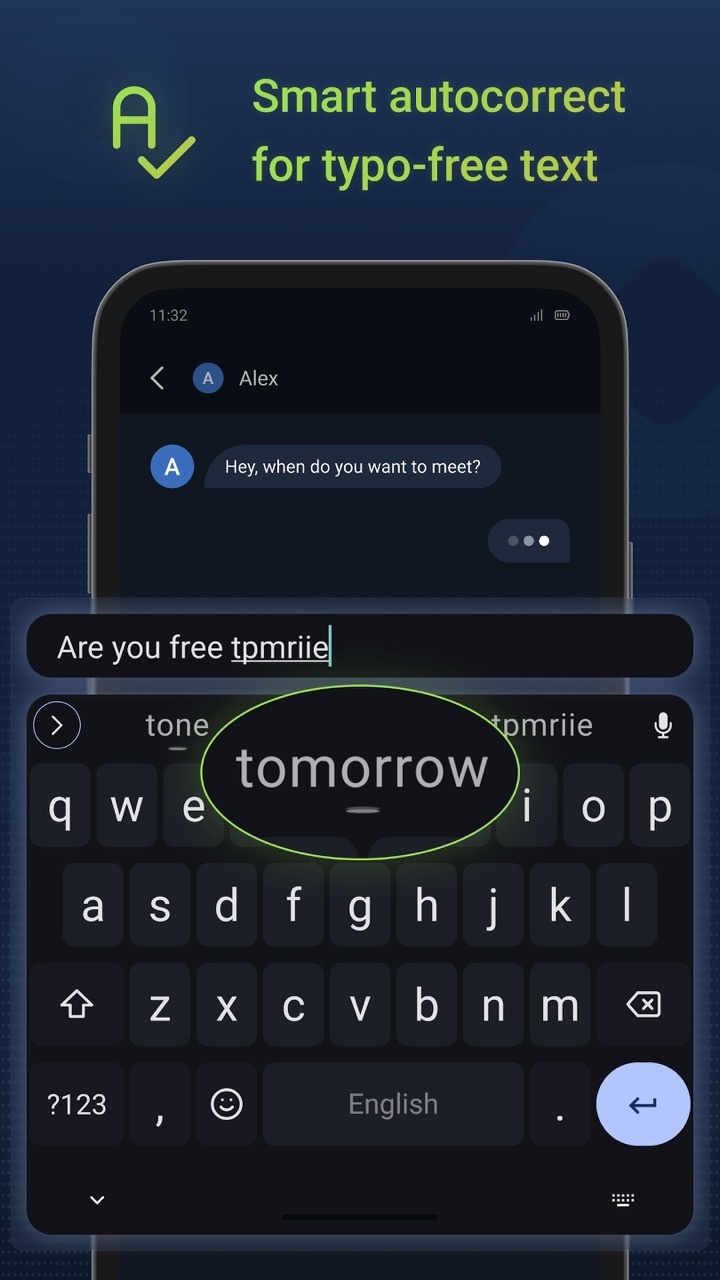
FUTO Keyboard is a modern, offline keyboard that respects privacy and security. It offers features like offline voice input, swipe-to-type, smart autocorrect, predictive text, and customizable themes.
FUTO Keyboard has voice input that is completely offline and never connects to the internet, in order to ensure your privacy and security.
Current features:
- Transformer-based predictions and autocorrect: This feature is quite experimental and may not work well on low-end devices. If you encounter any issues, you can disable it in the predictive text settings. Additionally, it’s currently only available in English.
- Integrated voice input: You don’t need any external app to use voice input. To enable it, ensure it’s not disabled in the keyboard settings. During setup, it’s possible to disable voice input.
- Voice input functionality: The voice input operates entirely offline and on-device, similar to the rest of the keyboard.
- Downloading and importing voice input models: You can download and import different voice input models from the following link: https://keyboard.futo.org/voice-input-models.
- Technical note: While technically, you can import any whisper.cpp compatible model, they may exhibit excessive text repetition due to our extensive use of the audio_ctx parameter. To address this issue, we recommend finetuning the model using the ACFT method, as documented here: https://github.com/futo-org/whisper-acft.
- Voice input personal dictionary: The voice input personal dictionary is extracted from your system personal dictionary. However, due to context size limitations, if too many words are present, only a subset of them will be included. We plan to enhance the user interface to clearly display which words are included.
- Bluetooth headset toggle: If you have a Bluetooth headset connected, you can toggle it by tapping on the Bluetooth icon in the recording menu.
- Action bar: The suggestions bar above the keyboard contains an arrow that expands into action icons. Currently, there are a few actions available:
- Emoji
- Themes
- Clipboard manager
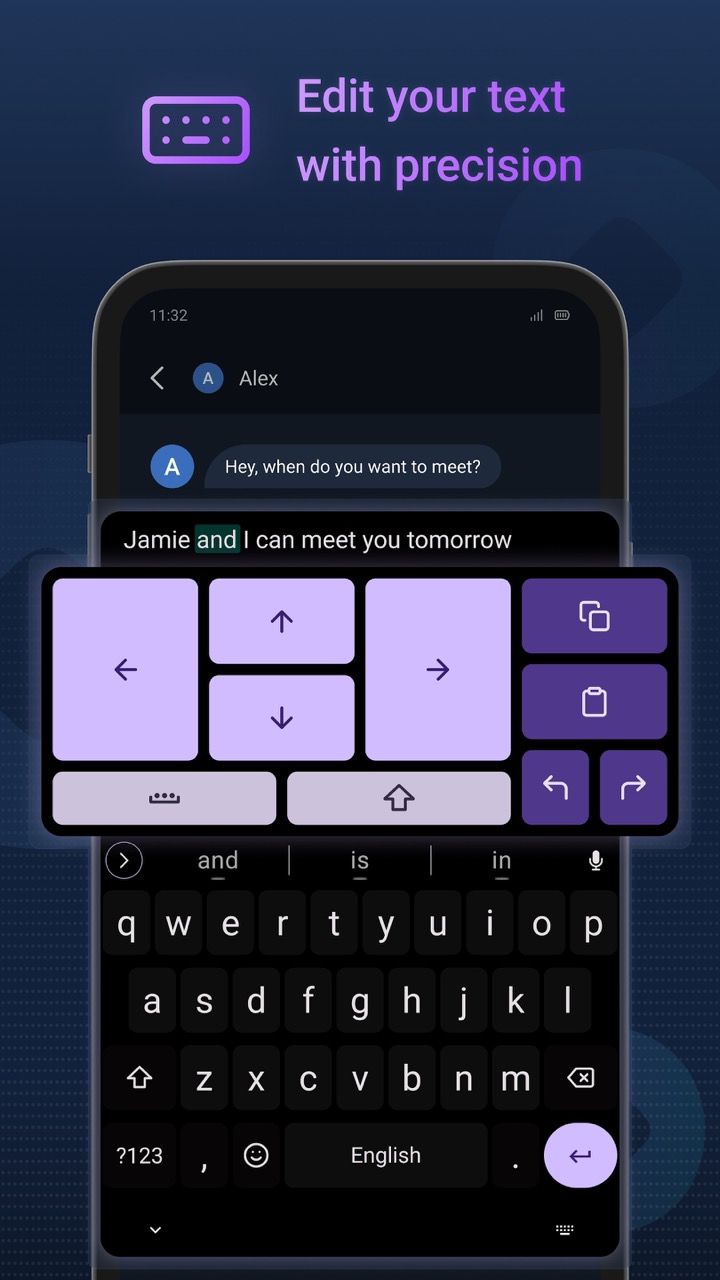
- Text editor
- Voice input
- Undo/redo/paste (these send CTRL+Z, CTRL+Y, and CTRL+V, respectively)
- Settings shortcut
- Debug info (shows information about the text field)
Some actions occupy the entire window. To resize these actions, press the arrow in the top right corner of the action above the keyboard.
In the triple dots menu (→ Edit Pinned), you can customize which actions appear where. For instance, if you want a language switch key, move the language switcher action to the Action Key and the Emojis to a different location.
The emoji menu is fully scrollable and contains modern emojis and skin tones. It also has a fuzzy search feature that works in English. If you type the alias of an emoji (e.g., “joy”), it will suggest the emoji in the suggestion bar.
Theming options include a few preset themes and the ability to toggle key borders. We plan to add more extensive theming and customization features in the future.
To access keyboard modes, you can use the associated action or go to Keyboard & Typing -> Resize Keyboard. You can choose from normal, split, one-handed, or floating keyboard modes. The active mode is remembered separately for landscape and portrait orientation. Additionally, the customized size is remembered separately per mode and screen orientation. Foldable displays should also be supported.
In Keyboard & Typing -> Long-Press Keys, you can enable hints for symbols or letters that appear when you long-press a key. You can also customize what appears when you long-press keys and in what order they appear. By default, you can access some common actions by long-pressing keys (such as copy by long-pressing C and selecting Copy).
Swiping the spacebar will move the cursor, and swiping the delete key will delete multiple characters. However, in the Long-Press Keys menu, you can change these behaviors.
If you don’t want to see a suggestion again, you can blacklist it by long-pressing on it. Note that blacklisting the rightmost suggestion (what you typed) has no effect.
Custom dictionary support is also available. You can import any AOSP-compatible dictionaries. This might be essential for certain languages, as the app lacks a built-in dictionary for many of them.
Basic swipe typing is supported, although the algorithm isn’t very well-optimized at the moment. We’re currently experimenting with various methods to enhance its performance.










all the great features for free