CimBar Scanner 코드 스캔 앱 대상 Android 설명
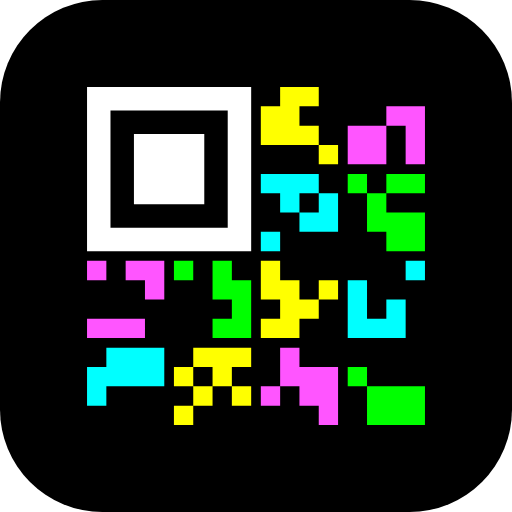
CimBar Scanner sends and receives files and text as CimBar barcodes — animated images in which every frame is a grid of colored tile shapes. Point one phones camera at another phones screen, or at a computer running the web app, and the file arrives with no network at all. Encoding and decoding happen entirely on your device: no account, no server, no internet connection.
How it works
- Encode a file or a text message into a CimBar barcode: in the apps Send tab, or with the free web app at https://nfcarchiver.com/cimbar/, which runs entirely in your browser.
- Show the barcode full screen, or send it as an animated GIF.
- Receive it with CimBar Scanner: live-scan an animated barcode with the camera, take a photo of a single-frame one, or import the GIF.
- Open, save or share the recovered file, or copy a received text.
Features
- Send tab: type a message or pick a file, add an optional passphrase, then show the barcode full screen — the screen stays on and bright, and repair frames keep coming for as long as it is shown — or share it as an animated GIF
- Received text messages appear right in the app, ready to copy, share or save as .txt
- Live scan with focus and exposure lock, an aiming guide, and hints such as move closer or hold still
- Frames can be caught in any order: extra repair frames mean any N frames of an N-frame barcode complete the file, so there is no waiting for the one frame you missed
- In-app photo or gallery image for single-frame barcodes
- Import CimBar GIFs from your files, or share one to the app from any other app, such as your gallery; a shared photo of a single-frame barcode goes straight to the photo decoder
- Reed-Solomon error correction in every frame
- Automatic decompression of files that were compressed on encoding
- Optional AES-256-GCM encryption, detected automatically; if a live scan turns out to be encrypted, enter the passphrase right there — no rescan
- Decoded files: open them in another app, save them to Downloads or any folder, or share them
- 5 languages: English, Russian, Ukrainian, Turkish, Georgian
Privacy
No data collection, no analytics, no trackers, no ads. The only permission the app requests is the camera, used for scanning; no internet access.
Open source
CimBar Scanner is a successor to libcimbar and CFC by sz3 (https://github.com/sz3/libcimbar), the original Color Icon Matrix Barcode projects. It uses its own, newer format, so it does not read barcodes made by libcimbar or CFC.
MIT licensed. Source code, format specification and the web encoder: https://github.com/mezinster/cimbar