
HMA-OSS 앱 잠금장치 앱 대상 Android 설명
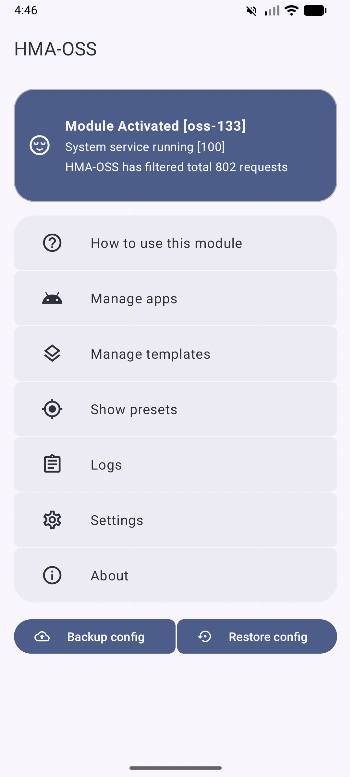
A FOSS continuation of Hide My Applist project with bunch of new features.
Features of HMA-OSS:
- Hide your application list (similar to what Hide My Applist does)
- Activity launch protection
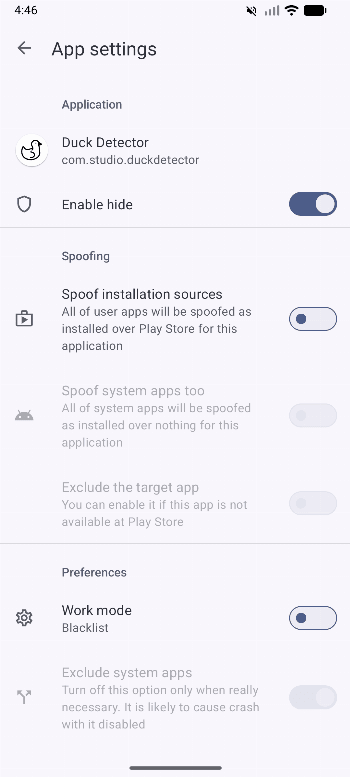
- Installation source spoofing for both user and system apps (replaces BetterKnownInstalled)
- Application presets
- Settings presets
- Settings templates (more flexible than what SettingsFirewall does, also allows you to override the settings presets)
- Propless appdata and vold appdata isolation with exclude system apps option
- Ignore hiding an app from Google Play services automatically if it is risky to hide (fixes crash issues etc.)
- Experimental Restrict Zygote permissions option
- Extra opposite app list option to add:
- More visible apps in blacklist mode
- More invisible apps in whitelist mode
- Redesigned home screen and some other screens
- Bulk config wizard (apply a config to more than one apps)
For more information, check this wiki page: https://github.com/frknkrc44/HMA-OSS/wiki











Sangat puas