2fa Pengesahan 2-Langkah aplikasi untuk Android deskripsi
Overview
2fa's only purpose is to provide single-use codes known as one-time passwords. It is a two-factor authenticator, and the concept is nothing new. There are plenty of other authenticators and alternatives with more features but with worse security and privacy than ours. We built 2fa to take full advantage of your device's hardware security, along with the latest cryptographic standards, to keep your accounts safe. The app is offline and includes unique features that no other authenticator app offers.
Features
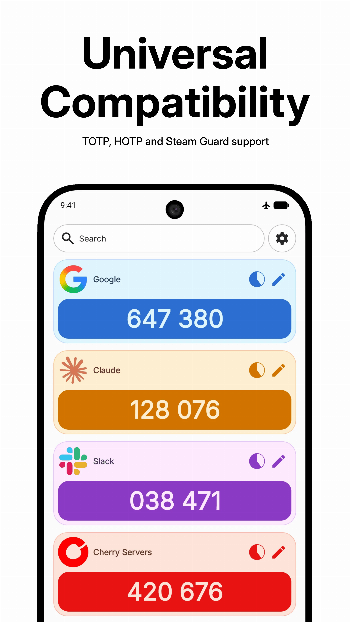
- Support for TOTP, HOTP, and Steam Guard codes via .maFile.
- Add accounts via QR codes, OTPAuth links, files, or your gallery.
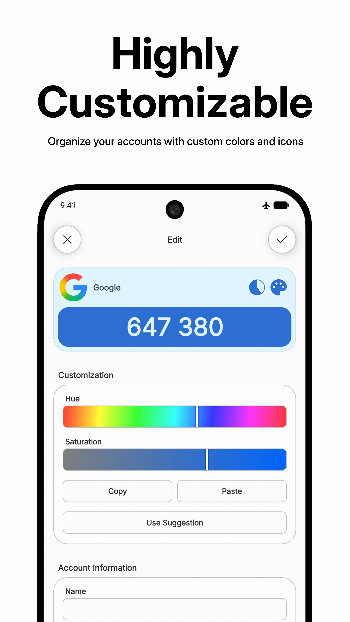
- Highly customizable, with account colors and icon packs, including textured and tinted options.
- Advanced security features such as biometric unlock, screen security, secure clipboard, lock on exit, and intent blocking.
- Manual export and import of accounts in .2fa or Aegis .json encrypted formats.
- And more!
Security
All accounts are stored inside the app's internal directory using our format with the .2fa extension. They are encrypted with AEGIS-256 and the key used is derived from hashing your passphrase with Argon2id. This method is used for both exports and internal storage, with the only difference being that internal storage takes an additional step by running the hash through HKDF using SHA3-512 with an additional random salt on every disk write.
If you choose to use biometrics, the passphrase hash must be stored. It's encrypted using the Android Keystore with AES-GCM and StrongBox (when available). The result is saved in the no_backup folder, in a file named unlock_passphrase_hash.bin, meaning it won't be included in system backups or when transferring to a new device. Also, the biometric key can become invalid due to several reasons. If this happens, decrypting won't be possible, and you will have to enter your passphrase, after which you will be prompted to confirm biometrics in order to re-establish them.
Translations
2fa is already available in several languages, and we would love your help adding more or improving the existing ones. You can do this by contributing to our Codeberg Weblate.
Support
If you have any problems using 2fa, find a bug, or just have a question, don't hesitate to reach out to us on Discord. If you would like to support and accelerate our work, please consider donating.