QuickTile Settings para Android

QuickTile Settings

RBN-Apps

versão 1.2.0

Manage Private DNS & USB Debugging via Quick Tile Settings tiles & Auto-revert.

Downloads 7 K
Ads

Avalie isso

Antivírus & resultados da verificação de segurança

Data da verificação: Feb 8, 2026 Versão do software: 1.2.0
Status: ✅ Confiável & Seguro para instalar Este app é assinado por RBN-Apps com uma assinatura digital confiável e verificada, e atualizará instalações existentes de QuickTile Settings Impressão digital do certificado: f644dc74c01a1015ff8b9036def55689e9f6762c Emissor: C=49, ST=NRW, L=Bonn, O=rbn, OU=rbn, CN=Robin Schmidt Como verificamos a segurança dos arquivos APK
Antivírus para Android Status
K7GW Limpo ✅
DrWeb Limpo ✅
VirIT Limpo ✅
ClamAV Limpo ✅
Google Limpo ✅
Ikarus Limpo ✅
Lionic Limpo ✅
Sophos Limpo ✅
Yandex Limpo ✅
Alibaba Limpo ✅
Tencent Limpo ✅
Xcitium Limpo ✅
Fortinet Limpo ✅
Kingsoft Limpo ✅
Symantec Limpo ✅
AhnLab-V3 Limpo ✅
Kaspersky Limpo ✅
Microsoft Limpo ✅
Trustlook Limpo ✅
ESET-NOD32 Limpo ✅
Avast-Mobile Limpo ✅
NANO-Antivirus Limpo ✅
BitDefenderFalx Limpo ✅

QuickTile Settings Conectividade app para Android descrição

Quick-Tile Settings offers customizable Quick Settings tiles for Private DNS and USB debugging. Quickly toggle settings and auto-revert when needed.

Features:

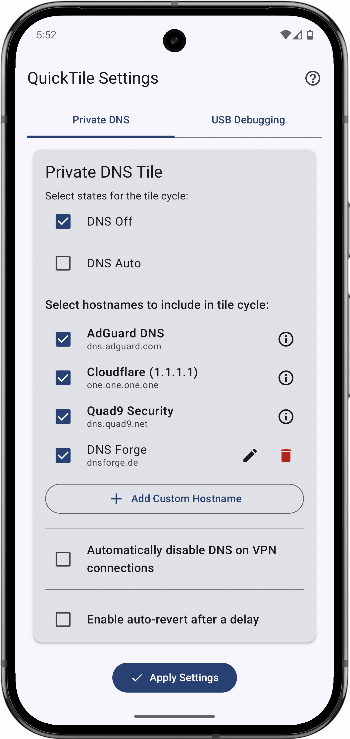
  • Private DNS Tile
    • Cycle: Off, Auto, custom hostnames
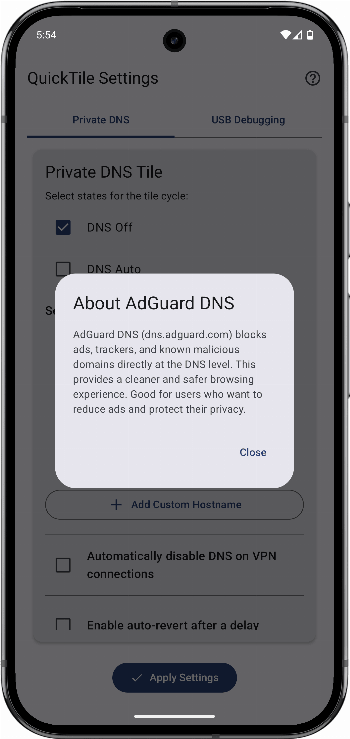
    • Predefined providers: Cloudflare (Performance & Privacy), AdGuard (Ad/Tracker Blocking), Quad9 (Security)
    • Add, edit, or delete custom DNS entries
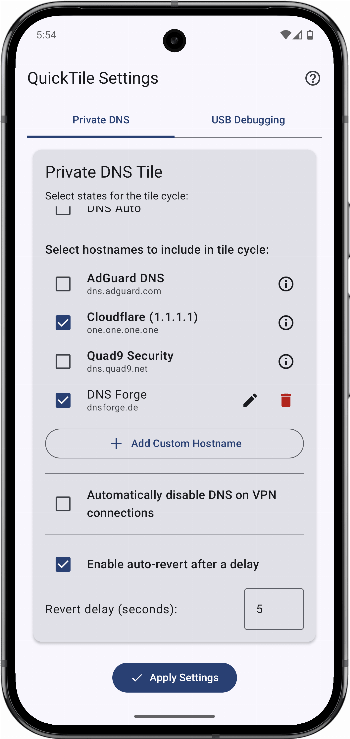
    • Select which entries appear in the cycle
    • Optional auto-revert after a configurable delay
  • USB Debugging Tile
    • Toggle: On ↔ Off
    • Configurable cycle or fixed states
    • Optional auto-revert
  • User-Friendly Configuration
    • In-app settings with tab navigation
    • Clear ADB guidance for granting WRITE_SECURE_SETTINGS
  • Modern UI: Jetpack Compose, Material You (Android 12+)

Requirements:

  • Android 9 (API 29) or higher
  • WRITE_SECURE_SETTINGS permission via ADB (one-time setup)

Setup & Usage:

  1. Grant ADB permission: Follow the in-app instructions for a one-time setup.
  2. Configure tiles:
    • DNS: select Off/Auto and manage hostnames.
    • USB Debugging: select On/Off.
    • Set auto-revert delays as desired.
  3. Add tiles: Add "DNS" and "USB Debugging" to your Quick Settings panel.
  4. Use: Tap to toggle; long-press to open settings.
Ads


Especificações


Versões Antigas

QuickTile Settings icon

1.1.2 APK

June 7, 2025

QuickTile Settings icon

1.0.2 APK

May 27, 2025

QuickTile Settings icon

1.1.0 APK

May 27, 2025