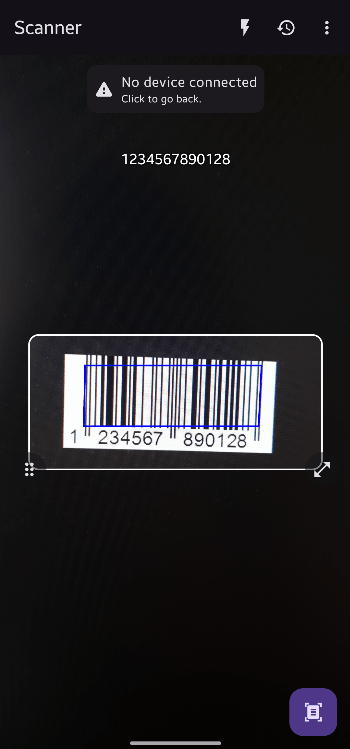
Bluetooth QR & Barcode to PC için Android

Bluetooth QR & Barcode to PC

fabik

sürüm 2.3.1

Enables sending QR/Barcodes to a Bluetooth Device (e.g PC) without any Software

İndirilenler 5 K
Ads

Bunu Puanla

Antivirüs & güvenlik tarama sonuçları

Tara Tarihi: Aug 3, 2026 Yazılım Sürümü: 2.3.1
Durum: ✅ Güvenilir ve Güvenli yükleme Bu uygulama fabik tarafından güvenilir ve doğrulanmış bir dijital imza ile imzalanmıştır ve mevcut Bluetooth QR & Barcode to PC kurulumlarını güncelleyecektir Sertifika parmak izi: f522e616945b3f5de957629cf02f77a30fcc923a Yayımlayan: CN=F K APK dosyalarının güvenliğini nasıl doğruluyoruz
Android antivirüs Durum
K7GW Temiz ✅
DrWeb Temiz ✅
VirIT Temiz ✅
ClamAV Temiz ✅
Google Temiz ✅
Ikarus Temiz ✅
Lionic Temiz ✅
Sophos Temiz ✅
Yandex Temiz ✅
Alibaba Temiz ✅
Tencent Temiz ✅
Xcitium Temiz ✅
Fortinet Temiz ✅
Kingsoft Temiz ✅
Symantec Temiz ✅
AhnLab-V3 Temiz ✅
Kaspersky Temiz ✅
Microsoft Temiz ✅
Trustlook Temiz ✅
ESET-NOD32 Temiz ✅
Avast-Mobile Temiz ✅
NANO-Antivirus Temiz ✅
BitDefenderFalx Temiz ✅

Bluetooth QR & Barcode to PC Bluetooth uygulama için Android açıklama

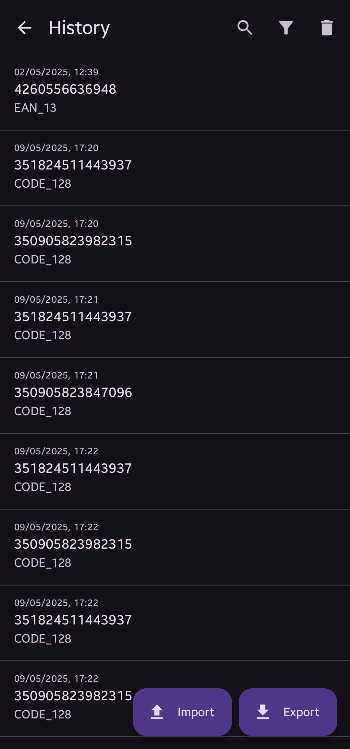
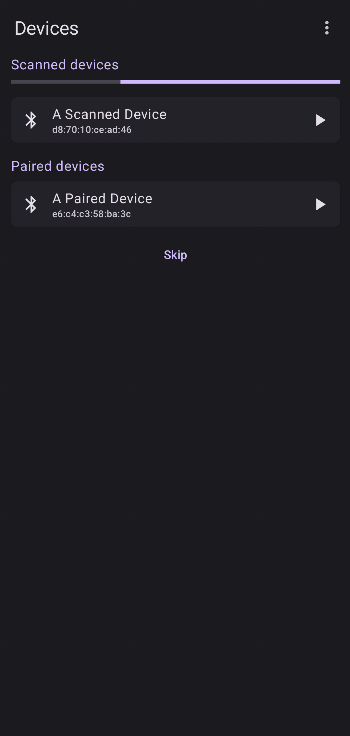
With this app you can turn your phone into a mobile QR/Barcode scanner and send the value of any code as text input to the connected Bluetooth device.

Features:

  • Wide variety of QR/Barcode types supported
  • No special software on the receiving side required
  • Works completely offline
  • No Ads/In-App-Purchases
  • Different keyboard layouts to choose
  • Highly customizable for many use-cases

The app works by utilizing the Bluetooth HID feature accessible on devices running Android 9 or later. Using this feature allows the Android device to act like a normal wireless keyboard connected via Bluetooth. That means it should work with every device that supports connecting a Bluetooth keyboard like a PC, Laptop or Phone.

Ads


Özellikler


Önceki sürümler

Bluetooth QR & Barcode to PC icon

2.3.0 APK

July 27, 2026

Bluetooth QR & Barcode to PC icon

2.2.1 APK

April 3, 2026

Bluetooth QR & Barcode to PC icon

2.2.0 APK

February 4, 2026