GestureFlow 手势控制 应用 为 Android 描述
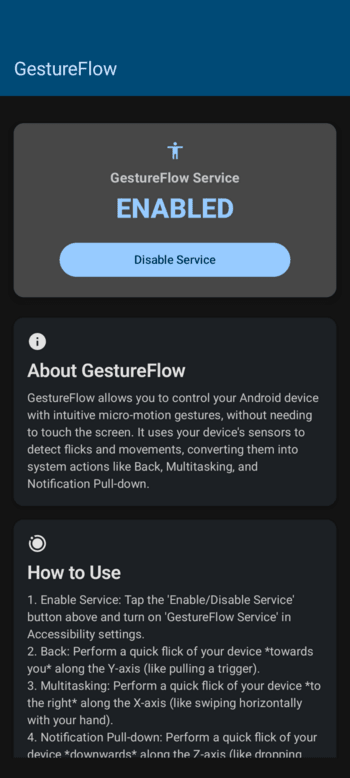
GestureFlow is an Android application that allows you to control your device with simple motion gestures. It uses the accelerometer and gyroscope sensors to detect gestures and perform actions, providing a touch-free way to interact with your device.
Features
- Touch-Free Control: Control your device without touching the screen.
- Intuitive Gestures: Simple and intuitive gestures for common actions.
- Accessibility Service: Runs in the background to provide seamless gesture control.
How to Use
Enable the Service:
- Open the GestureFlow app.
- Tap the "Enable Service" button.
- This will take you to the Accessibility settings.
- Find "GestureFlow" in the list and turn it on.
Perform Gestures:
- Back: Perform a quick flick of your device towards you (like pulling a trigger).
- Multitasking: Perform a quick flick of your device to the right (like swiping horizontally).
- Notification Pull-down: Perform a quick flick of your device downwards (like dropping your hand).
Privacy
GestureFlow requires the Accessibility Service permission to function. All sensor data is processed on-device and is not collected, stored, or shared. Your privacy is respected.