Lockscreen Widgets 应用 为 Android 描述
A (very) long time ago, Android introduced a feature to allow you to show certain widgets on the lock screen. For some reason, this useful feature was removed with the release of Android 5.0 Lollipop, confining widgets to the home screen only.
While some manufacturers, such as Samsung, have brought back limited versions of lock screen widgets, you’re usually limited to the widgets the manufacturer has already created for you.
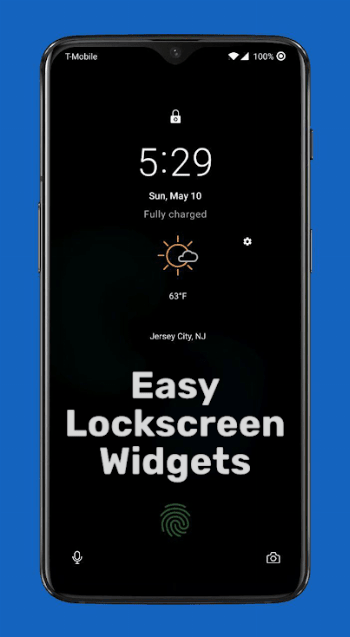
Well, no more! Lockscreen Widgets brings back the functionality of yore, with some extra features. Note that Lockscreen Widgets is not designed to function on the Always-On Display.
- Lockscreen Widgets appears as a paged "frame" on top of your lock screen.
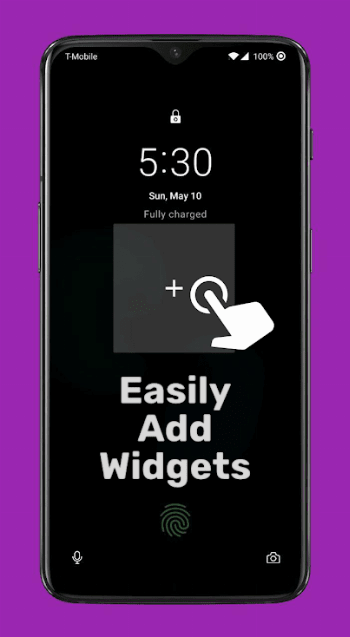
- Add a widget by tapping the plus button in the frame. This plus button will always be the last page.
- Each widget you add gets its own page, or you can have multiple widgets per page.
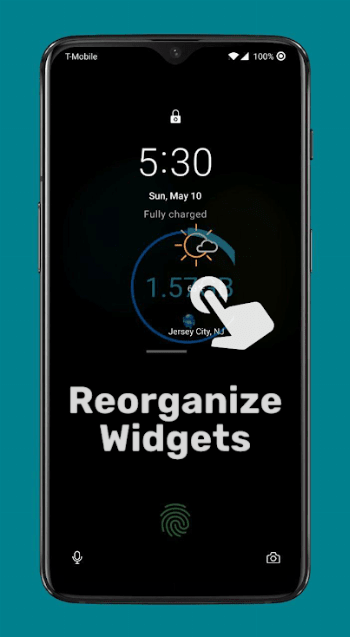
- You can press, hold, and drag widgets to reorder them.
- You can press and hold widgets to remove them or edit their size.
- Tap the frame with two fingers to enter the editing mode where you can resize and move the frame.
- Tap the frame with three fingers to temporarily hide it. It will show up again once the display turns off and back on.
- Any home screen widget can be added as a lock screen widget.
Lockscreen Widgets also includes an optional Widget Drawer!
Widget Drawer has a handle you can swipe to bring it up from anywhere, or you can use the Tasker integration or shortcut to open it however you want. The drawer is a vertically scrolling list of widgets that can be resized and moved the same way as in the Lockscreen Widgets frame.
And this is all without ADB or root! All the basic privileges can be granted without even thinking about using a computer. Unfortunately, with Android 13 and later, you may need to use ADB or Shizuku to enable Masked Mode.
On the topic of privileges, these are the more sensitive permissions that Lockscreen Widgets needs to function:
- Accessibility. In order to display on the lock screen, Lockscreen Widgets’ Accessibility Service must be enabled. You will be prompted to enable it if needed in the initial setup, and any time you open the app.
- Notification Listener. This permission is only required if you want the widget frame to hide when notifications are displayed. You will be prompted if it’s needed.
- Dismiss Keyguard. In order to improve the user experience, Lockscreen Widgets will dismiss the lock screen (or show the security input view) when it detects an Activity being launched from a widget, or when you press the "Add Widget" button. This will not compromise your device’s security in any way.
And that’s it. Don’t believe me? Lockscreen Widgets is open source! The link is at the bottom.
Lockscreen Widgets only works on Android Lollipop 5.1 and later because the necessary system features for displaying on the lock screen didn’t exist in Lollipop 5.0. Sorry, 5.0 users.
If you have a question, send me an email, or join the TG group: https://bit.ly/ZachareeTG. Please be as specific as possible with your problem or request.