SmartScan জন্য Android

SmartScan

dev-diaries41

ভার্সন 1.3.0

Image organisation & search app

ডাউনলোড 14 K
Ads

এটি রেট করুন

অ্যান্টিভাইরাস এবং নিরাপত্তা স্ক্যানের ফলাফল

স্ক্যানের তারিখ: Apr 30, 2026 সফটওয়্যার সংস্করণ: 1.3.0
অবস্থা: ✅ বিশ্বাসযোগ্য এবং ইনস্টল করার জন্য নিরাপদ এই অ্যাপটি dev-diaries41 এর দ্বারা বিশ্বাসযোগ্য এবং যাচাইকৃত ডিজিটাল স্বাক্ষর দ্বারা স্বাক্ষরিত হয়েছে এবং এটি বর্তমান SmartScan ইনস্টলেশনগুলিকে আপডেট করবে সার্টিফিকেট ফিঙ্গারপ্রিন্ট: 0369e5f3788ce87bb3d48a755841173f0ac3873f ইস্যুকারী: O:FPF Labs আমরা APK ফাইলের নিরাপত্তা কিভাবে যাচাই করি
অ্যান্ড্রয়েড অ্যান্টিভাইরাস অবস্থা
K7GW পরিষ্কার ✅
DrWeb পরিষ্কার ✅
VirIT পরিষ্কার ✅
ClamAV পরিষ্কার ✅
Google পরিষ্কার ✅
Ikarus পরিষ্কার ✅
Lionic পরিষ্কার ✅
Sophos পরিষ্কার ✅
Yandex পরিষ্কার ✅
Alibaba পরিষ্কার ✅
Tencent পরিষ্কার ✅
Xcitium পরিষ্কার ✅
Fortinet পরিষ্কার ✅
Kingsoft পরিষ্কার ✅
Symantec পরিষ্কার ✅
AhnLab-V3 পরিষ্কার ✅
Kaspersky পরিষ্কার ✅
Microsoft পরিষ্কার ✅
Trustlook পরিষ্কার ✅
ESET-NOD32 পরিষ্কার ✅
Avast-Mobile পরিষ্কার ✅
NANO-Antivirus পরিষ্কার ✅
BitDefenderFalx পরিষ্কার ✅

SmartScan ছবি অ্যালবাম অ্যাপ জন্য Android বর্ণনা

SmartScan is an innovative app powered by a CLIP model that automatically organizes your images by content similarity and enables text-based search, making gallery management effortless.

Key Features

Automated Image Organisation

  • Smart Scans: Schedule regular scans automatically.
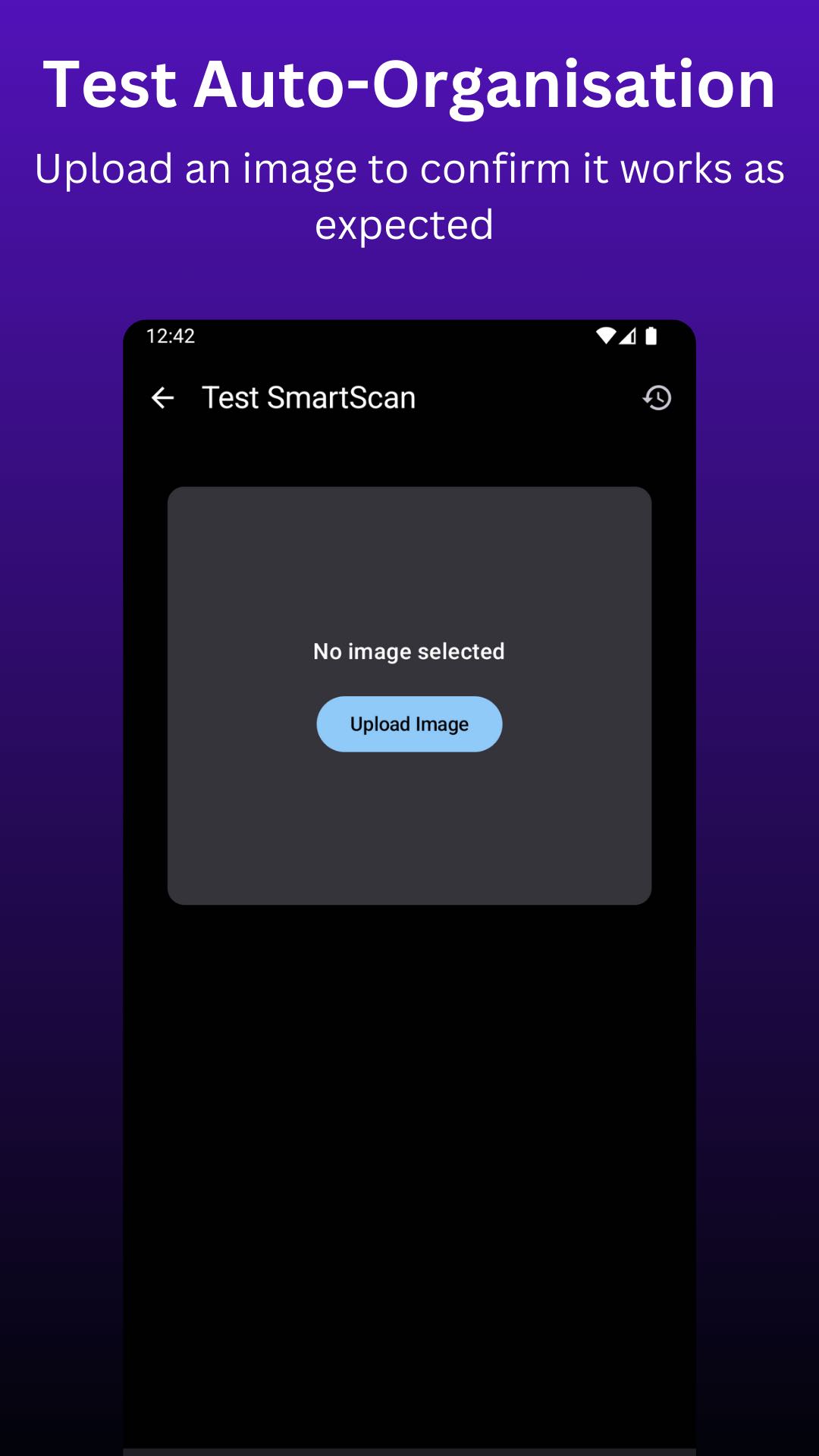
  • Auto-Categorisation Test: Upload a test image to verify categorisation.

Text-Based Image Search

  • Gallery Access: Open search results directly in the gallery.
  • Result Display: Show the top result plus up to 20 similar images.
  • Weekly Updates: Automatically refresh the image index for new images.

Fully On-Device

All processing—including both image organisation and text-based search—is handled entirely on-device, ensuring privacy, speed, and offline functionality.

How to use

Image Management

  • Target Folders: In settings, select the folders you want to monitor for new images.
  • Destination Folders: In settings, select the allowed destination folders for images to be moved to.
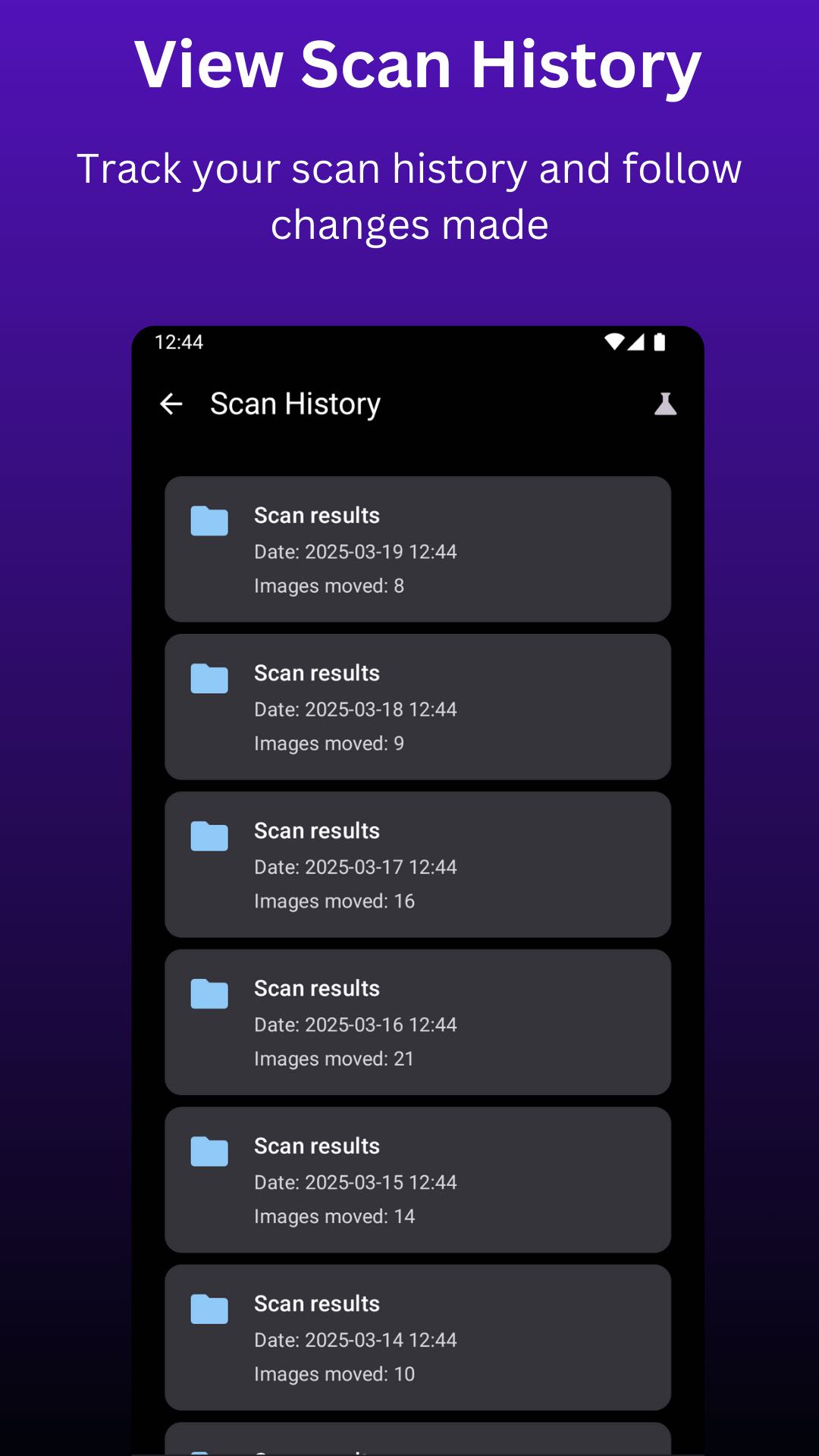
  • Test auto-categorisation: Once you have set this up you can test auto-categorisation by clicking the test tube icon and uploading an image.

Note: Each destination folder should contain at least 10 images. This sample set is crucial for accurate matching.
Ads


স্পেসিফিকেশন


পুরোনো সংস্করণ

SmartScan icon

1.1.9 APK

December 27, 2025

SmartScan icon

1.1.7 APK

October 27, 2025

SmartScan icon

1.1.6 APK

October 14, 2025


এটি রেট করুন


ব্যবহারকারীর পর্যালোচনা সম্পর্কিত SmartScan

SmartScan এ এখনও কোন মন্তব্য নেই। প্রথম হোন!

GitHub Issue