FireWall Blocks für Android

FireWall Blocks

Shayan

Version 1.5.shynoid

Simple, open-source firewall blocking internet access via Shizuku or VPN.

Downloads 4 K
Ads

Bewerte das

Antivirus & Sicherheitsprüfung Ergebnisse

Scan-Datum: May 28, 2026 Softwareversion: 1.5.shynoid
Status: ✅ Vertrauenswürdig & Sicher zu installieren Diese App ist von Shayan mit einer vertrauenswürdigen und verifizierten digitalen Signatur signiert und wird vorhandene FireWall Blocks Installationen aktualisieren Zertifikat Fingerprint: 5b4ff4265d9851e9dc63b0681df82f7d30d4e5a4 Aussteller: CN=wayne dev Wie wir APK-Dateien auf Sicherheit überprüfen
Android Antivirus Status
K7GW Sauber ✅
DrWeb Sauber ✅
VirIT Sauber ✅
ClamAV Sauber ✅
Google Sauber ✅
Ikarus Sauber ✅
Lionic Sauber ✅
Sophos Sauber ✅
Yandex Sauber ✅
Alibaba Sauber ✅
Tencent Sauber ✅
Xcitium Sauber ✅
Fortinet Sauber ✅
Kingsoft Sauber ✅
Symantec Sauber ✅
AhnLab-V3 Sauber ✅
Kaspersky Sauber ✅
Microsoft Sauber ✅
Trustlook Sauber ✅
ESET-NOD32 Sauber ✅
Avast-Mobile Sauber ✅
NANO-Antivirus Sauber ✅
BitDefenderFalx Sauber ✅

FireWall Blocks VPN App für Android Beschreibung

FireWall Blocks is a simple, open-source Android firewall that blocks app internet access using either Shizuku or a local VPN, with no root requirement.

Features:

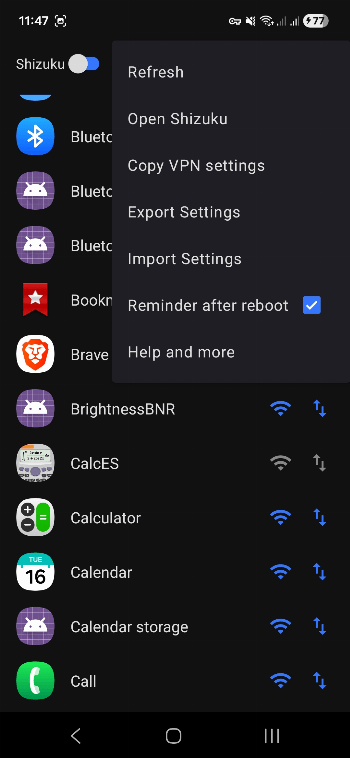
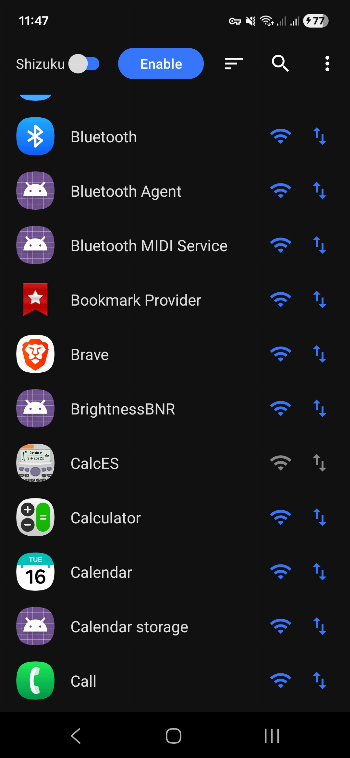
  • Dual Mode: Choose between the efficient Shizuku mode (recommended) or the no-setup-required VPN mode. You can even use them at the same time!
  • Per-App Rules: Control Wi-Fi and Mobile Data access for each app individually.
  • Import/Export: Save and load your firewall rules as a simple .json file.
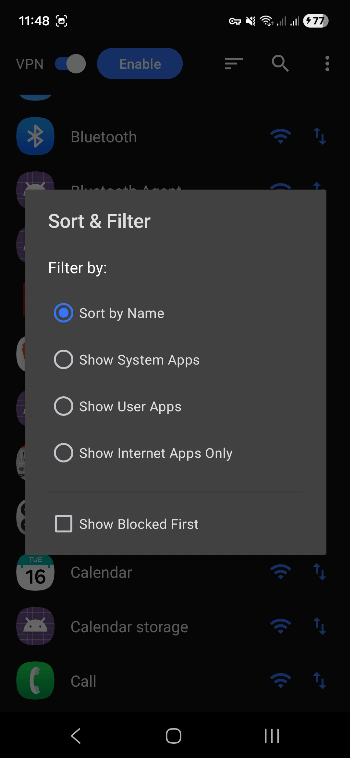
  • Sorting: Sort lists based on user and system apps.
  • Efficient: The app doesn't need to be constantly running in the background.
  • Elegant Reapplying: Hassle-free user experience on startup.

How to Use:

  1. Enable the Firewall: Press the Enable button on the main screen.
  2. Choose Mode: Toggle between Shizuku (requires setup) or VPN (works instantly).
  3. Block Apps: Tap the Wi-Fi or Data icons next to any app to block its access.

Note: After rebooting your phone, for Shizuku mode, you must first start Shizuku, then re-open the app to re-apply the rules.

Ads


Spezifikationen


Ältere Versionen

FireWall Blocks icon

1.4.1.shynoid APK

December 26, 2025

FireWall Blocks icon

1.4.2.shynoid APK

December 26, 2025