BlockAds Protect your Smartphone app for Android description
Tired of intrusive ads slowing down your phone? BlockAds blocks ads across all your apps and browsers with just one tap — no root required.
KEY FEATURES
- System-Wide Ad Blocking: Smart DNS-based filtering for every app and browser. No root access required.
- Privacy Protection: Blocks trackers and spyware. Zero data collection — everything stays locally on your device.
- App Firewall & Profiles: Block internet access for specific apps (Wi-Fi/Mobile). Switch instantly between Default, Strict, Family, and Gaming profiles.
- Parental Controls: Enforce SafeSearch (Google/Bing) and YouTube Restricted Mode via Family-safe DNS providers.
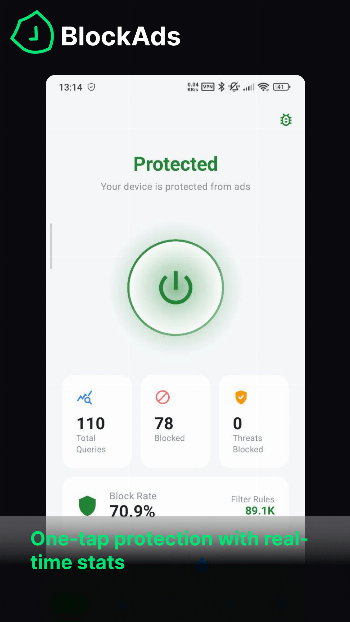
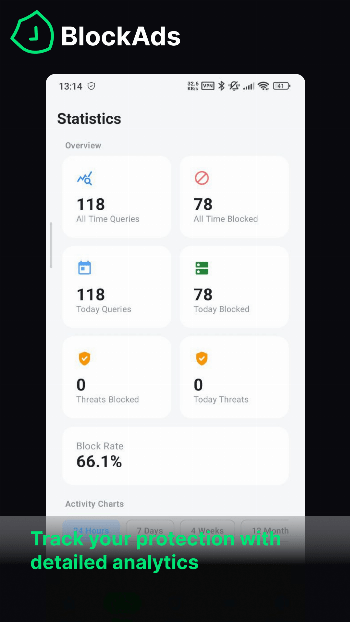
- Detailed Statistics: View real-time blocked ad counters, 24-hour activity charts, and detailed DNS query logs.
- Fully Customizable: Add custom filter lists via URL (ABPVN, AdGuard, EasyList, etc.), create allow/block rules, and use custom DoH/DoT encrypted DNS.
- Modern UI: Material 3 design built with Jetpack Compose. Features Dark/Light themes, custom accent colors, Quick Settings tile, and Home screen widgets.
- Backup & Restore: Export your configuration to JSON and easily import it on a new device.
- Battery & Data Friendly: Minimal performance impact. Filters only DNS traffic, reducing unnecessary ad data downloads.
HOW TO USE
- Open BlockAds.
- Tap the power button and allow the VPN connection.
- Enjoy an ad-free internet experience! (You can also toggle protection via Quick Settings tile or widget).
FAQ
- Is BlockAds safe?
Yes. BlockAds only filters DNS queries locally. No personal data is intercepted or transmitted to external servers. - Why does it need VPN permission?
It creates a local VPN tunnel on your device to route and filter DNS requests on-device. It is not a remote VPN service. - Does it work with all apps?
Yes, it works system-wide. You can also whitelist specific apps or use the firewall feature to manage access. - Is it really free?
Yes! BlockAds is 100% free, open-source, and contains no in-app purchases or ads. - Will it slow down my internet?
No. DNS filtering is extremely lightweight. It actually speeds up your browsing and saves battery by preventing ads from loading.
BlockAds is free, open source, and built with privacy in mind. Download now and take back control of your Android experience!