Screen Share Tile for Android

Screen Share Tile

Yu-Chen Lin

version 1.4.1

Take a screenshot and share it quickly from Android quick setting tile.

Downloads 264
Ads

Rate & Review

Antivirus & safety scan results

Scan Date: Jan 15, 2022 Software Version: 1.4.1
Status: ✅ Trusted & Safe to install This app is signed by Yu-Chen Lin with trusted and verified digital signature and it will updated existing Screen Share Tile installations Certificate fingerprint: d991231c6993ec5c90c3fad315d07eeed8f2fe1d Issuer: CN:Yu-Chen Lin How we verify APK files security
Android antivirus Status
MAX Clean ✅
K7GW Clean ✅
DrWeb Clean ✅
VirIT Clean ✅
ClamAV Clean ✅
Ikarus Clean ✅
Lionic Clean ✅
Sophos Clean ✅
Yandex Clean ✅
Alibaba Clean ✅
Tencent Clean ✅
Fortinet Clean ✅
Kingsoft Clean ✅
Symantec Clean ✅
AhnLab-V3 Clean ✅
Microsoft Clean ✅
Trustlook Clean ✅
ESET-NOD32 Clean ✅
Avast-Mobile Clean ✅
NANO-Antivirus Clean ✅
BitDefenderFalx Clean ✅

Screen Share Tile Screen Recording app for Android description

Share screenshot in better and smooth way.

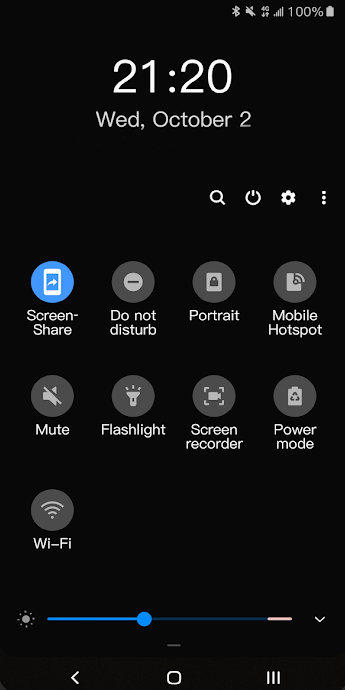
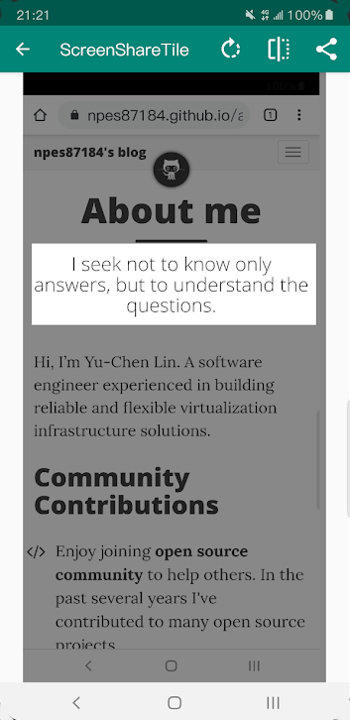
Screen Share Tile works through its quick settings tile, before using it, tile needs to be added on notification panel manually. After that, the process is easy:

  1. Click quick settings tile
  2. Crop screenshot
  3. Share it!

To add the tile, please follow these steps:

  1. Pull down completely the notification shade.
  2. Tap the edit button (on stock Android it is a pencil). The quick settings editing layout will expand and display all the available tiles.
  3. Scroll down and find the screen share tile.
  4. Drag the tile up to the desired position.
  5. That's it!

Permissions:

  • Screen Recording - required in order to capture screenshots
Ads


Specifications