Quick Timer Clocks and Alarms app for Android description
Quick Timer Tile makes managing your time effortless and distraction-free.
Add it to your Quick Settings, and you’re ready to go – no app icon or traditional interface. Everything happens through a timer dialog and notification.
How to get started:
- Add the Timer to Quick Settings:
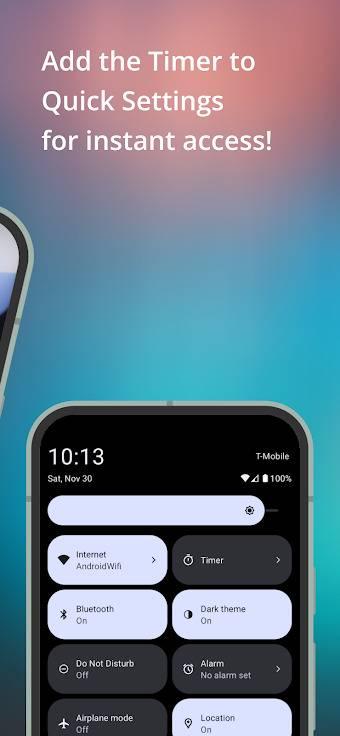
- Swipe down from the top of your screen to open Quick Settings.
- Tap the pencil icon or "Edit" to customize your tiles.
- Drag the "Timer" tile into the active area.
- Set up your timer:
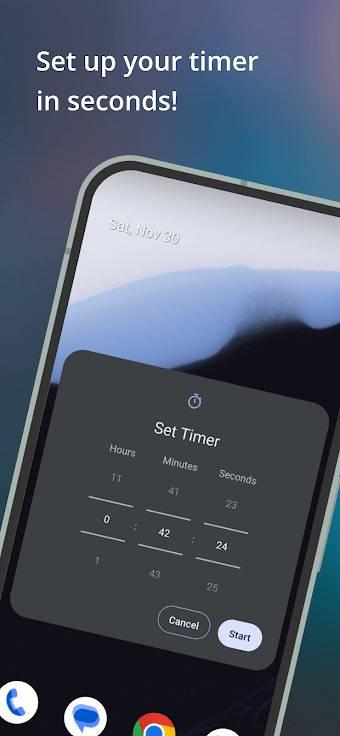
- Tap the "Timer" tile to open the timer setup dialog.
- Grant notifications permission (if needed).
- Use the pickers to set the desired time and press "Start".
- Follow the Timer in Notifications:
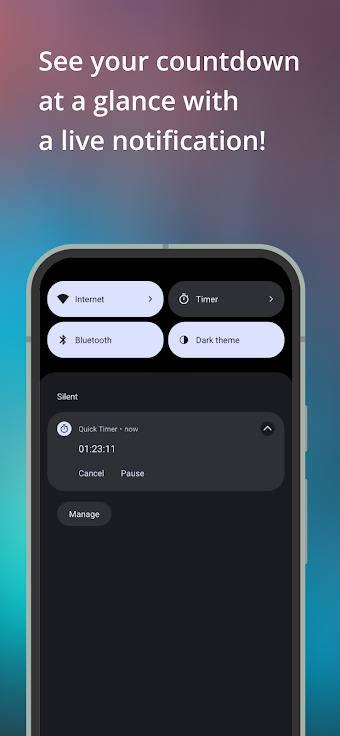
- Once the timer starts, a notification shows the remaining time.
- Pause, resume, or cancel the timer directly from the notification with one tap.
Why use Quick Timer?
- Quick access: start a timer in seconds straight from Quick Settings.
- No clutter: no app screen or icon – just a clean, efficient experience.
- Convenient notification: always know how much time is left at a glance.
Perfect for cooking, workouts, or any activity where timing matters!