PhotoSphereGallery 사진 앨범 앱 대상 Android 설명
Features
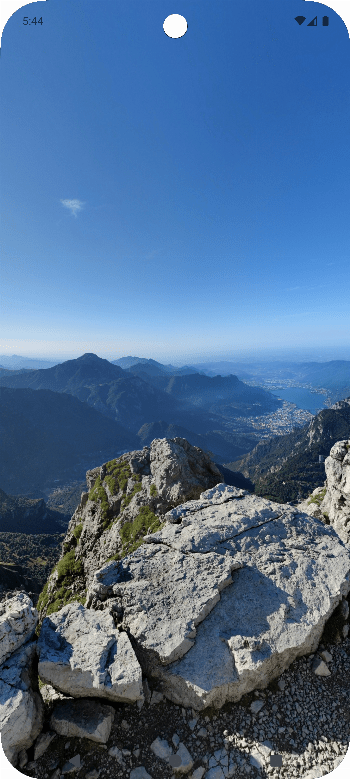
- View compatible spherical photos (360°) in a rotatable 3D environment.
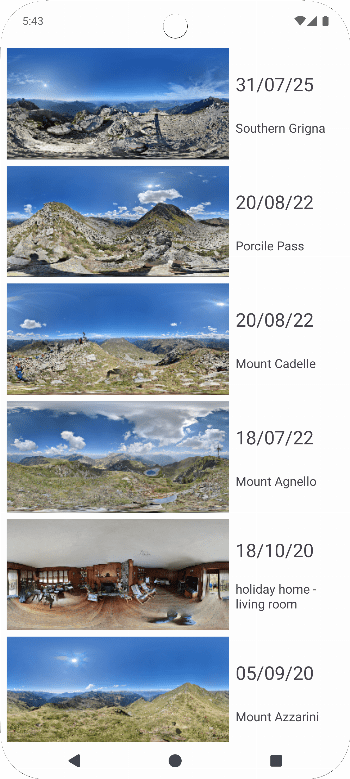
- Display the list of all compatible spherical photos available on the device.
- Insert or modify the description of spherical photos.
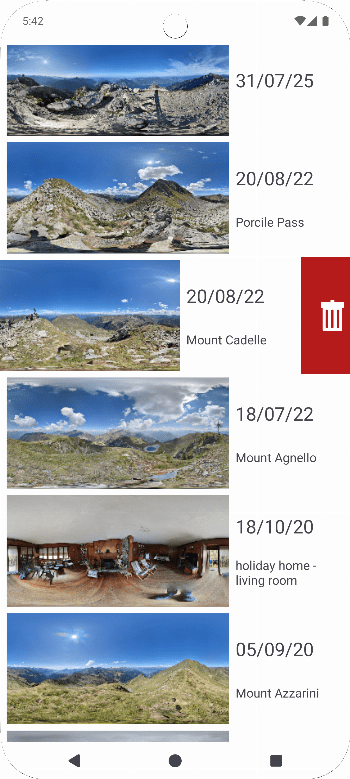
- Delete images
How does it work? There are two ways to view your spherical photos:
- Open the app: a list of all available spherical photos on the device is shown. By clicking on them, they will be projected in the 3D environment.
- Directly from the image: by clicking the "share" button in your gallery or file manager, you can open the app and view the image projected in the 3D environment.
To view the image, swipe on the screen: the image will rotate accordingly.
To modify the description or delete images, swipe the list item to the right/left.
Compatible Photos Currently, compatible photos must meet the following characteristics:
- photos with a 2:1 aspect ratio
- photos with one or more of the following tags set:
- -XMP:XMP-GPano:UsePanoramaViewer = True
- -XMP:XMP-GPano:IsPhotosphere = True
- -XMP:XMP-GPano:ProjectionType = equirectangular