LockLock ล็อกแอป แอป สำหรับ Android คำอธิบาย
LockLock is a lightweight, privacy-first app locking solution designed to secure your apps without requiring root access or internet connectivity. Built with modern Material 3 design principles, LockLock offers a seamless, elegant user experience while providing strong protection for your personal data.
Features
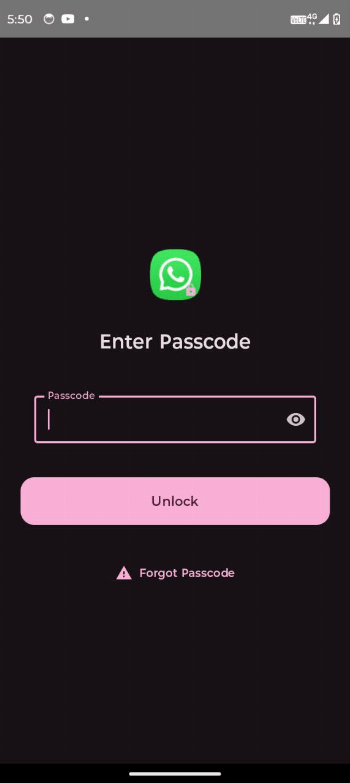
App Locking Without Root LockLock uses Android Accessibility Services to detect and block unauthorized app launches, securing your apps with a customizable password or PIN.
Anti-Uninstall Protection By leveraging Device Administrator privileges, LockLock prevents unauthorized uninstall attempts, safeguarding your app locks from tampering.
Brute Force Protection To protect against password guessing, LockLock temporarily locks the app after repeated failed unlock attempts.
Forgot Password Support Securely recover access with a security question if you forget your password.
Material 3 UI Enjoy a clean, modern interface designed for intuitive navigation and ease of use.
Fully Offline Operation No internet permissions or connectivity required — your data stays private and local to your device.
Why Choose LockLock?
- No root required
- Privacy-focused, no data leaves your device
- Robust anti-tampering protections
- Clean, minimal Material 3 design
- Lightweight and resource-efficient
- Open source and community-driven
- Download and install LockLock via the F-Droid app (recommended for smooth permission setup).
- Launch the app and set your master password and security question.
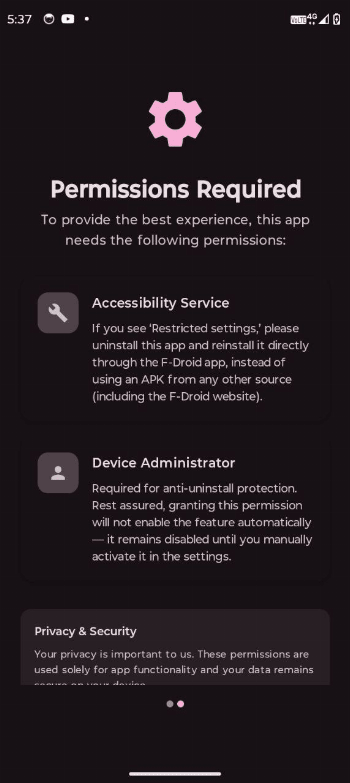
- Grant Accessibility and Device Administrator permissions when prompted for full protection.
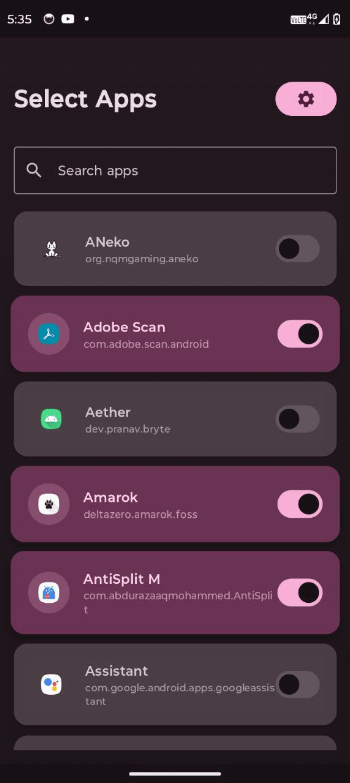
- Select which apps to lock.
- LockLock will immediately start protecting your selected apps with the configured password.
Permissions
- Accessibility Service: Required to monitor and block locked apps without root.
- Device Administrator: Required to prevent unauthorized uninstall and enhance security.
Tags: app lock, app locker, lock apps, password lock, pin lock,, app protection, secure apps, app privacy, phone locker, screen lock, intruder protection, privacy guard, secure phone, app security, anti snooping, privacy lock, vault app, lockdown mode, stealth mode, device admin, unbreakable lock, minimal lock, fast app lock, badass locker, hacker-proof, parental control, productivity lock, anti distraction, screen time guard, no bloat, offline security, android, free, open source, compose, material, nethical