Quick Timer per Android

Quick Timer

Andrei Shpakouski

versione 1.0.1

Set and manage timer directly from your Quick Settings - no regular app screen!

Download 94
Ads

Valuta questa

Risultati scansione antivirus e sicurezza

Data Scansione: Aug 16, 2025 Versione Software: 1.0.1
Stato: ✅ Affidabile & Sicuro da installare Questa app è firmata da Andrei Shpakouski con firma digitale affidabile e verificata e aggiornerà le installazioni esistenti di Quick Timer Impronta Digitale del Certificato: cd2f08630e6d2cae319786605341235bf042fb0f Emittente: C:World Come verifichiamo la sicurezza dei file APK
Antivirus Android Stato
K7GW Pulito ✅
DrWeb Pulito ✅
VirIT Pulito ✅
ClamAV Pulito ✅
Google Pulito ✅
Ikarus Pulito ✅
Lionic Pulito ✅
Sophos Pulito ✅
Yandex Pulito ✅
Alibaba Pulito ✅
Tencent Pulito ✅
Xcitium Pulito ✅
Fortinet Pulito ✅
Kingsoft Pulito ✅
Symantec Pulito ✅
AhnLab-V3 Pulito ✅
Kaspersky Pulito ✅
Microsoft Pulito ✅
Trustlook Pulito ✅
ESET-NOD32 Pulito ✅
Avast-Mobile Pulito ✅
NANO-Antivirus Pulito ✅
BitDefenderFalx Pulito ✅

Quick Timer Orologi e Sveglie applicazione per Android descrizione

Quick Timer Tile makes managing your time effortless and distraction-free.

Add it to your Quick Settings, and you’re ready to go – no app icon or traditional interface. Everything happens through a timer dialog and notification.

How to get started:

  1. Add the Timer to Quick Settings:
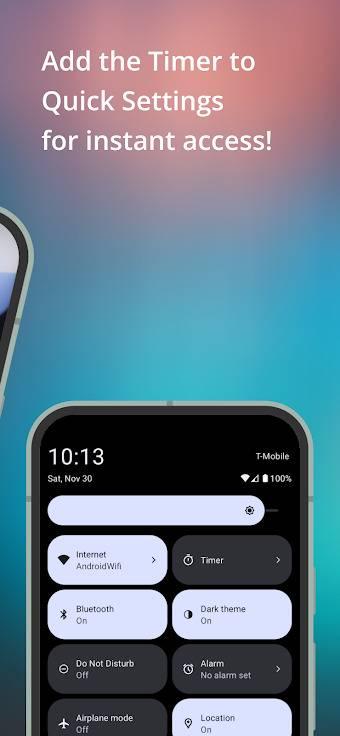
    • Swipe down from the top of your screen to open Quick Settings.
    • Tap the pencil icon or "Edit" to customize your tiles.
    • Drag the "Timer" tile into the active area.
  2. Set up your timer:
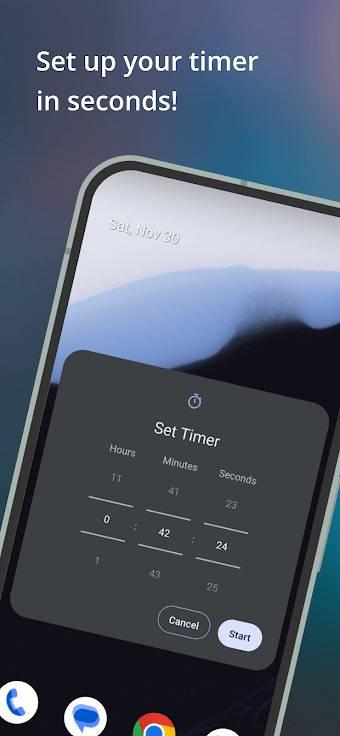
    • Tap the "Timer" tile to open the timer setup dialog.
    • Grant notifications permission (if needed).
    • Use the pickers to set the desired time and press "Start".
  3. Follow the Timer in Notifications:
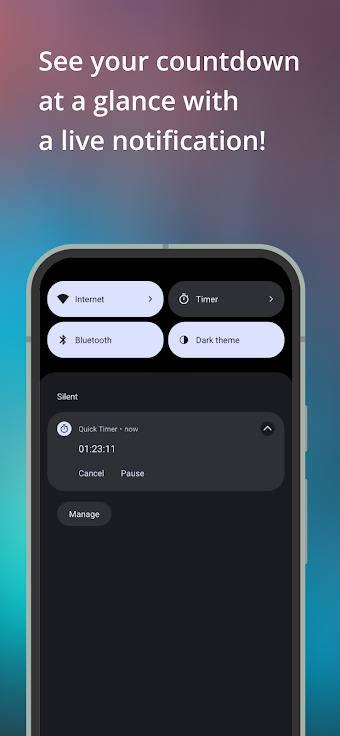
    • Once the timer starts, a notification shows the remaining time.
    • Pause, resume, or cancel the timer directly from the notification with one tap.

Why use Quick Timer?

  • Quick access: start a timer in seconds straight from Quick Settings.
  • No clutter: no app screen or icon – just a clean, efficient experience.
  • Convenient notification: always know how much time is left at a glance.

Perfect for cooking, workouts, or any activity where timing matters!

Ads


Specifiche


Versioni Precedenti

Quick Timer icon

1.0.2 APK

August 16, 2025

Quick Timer icon

1.0.3 APK

August 16, 2025